
Many people are disapponted with one ui8 update from Samsung for tablets.
Mainly due to constant line to switch any app to dex mode. I found a way to disable that and another surprise, disabling it enabled Wireless Dex🎉
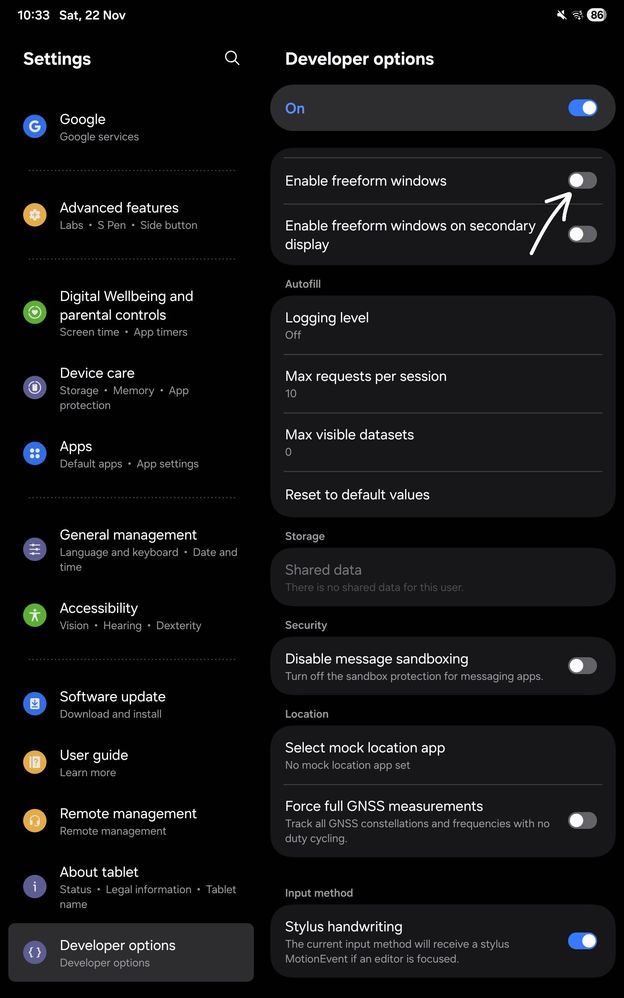
All you need to do is disable "Enable freeform windows" in developer options, allow tab to restart on popup shown and you are done.
This will disable the annoying line.
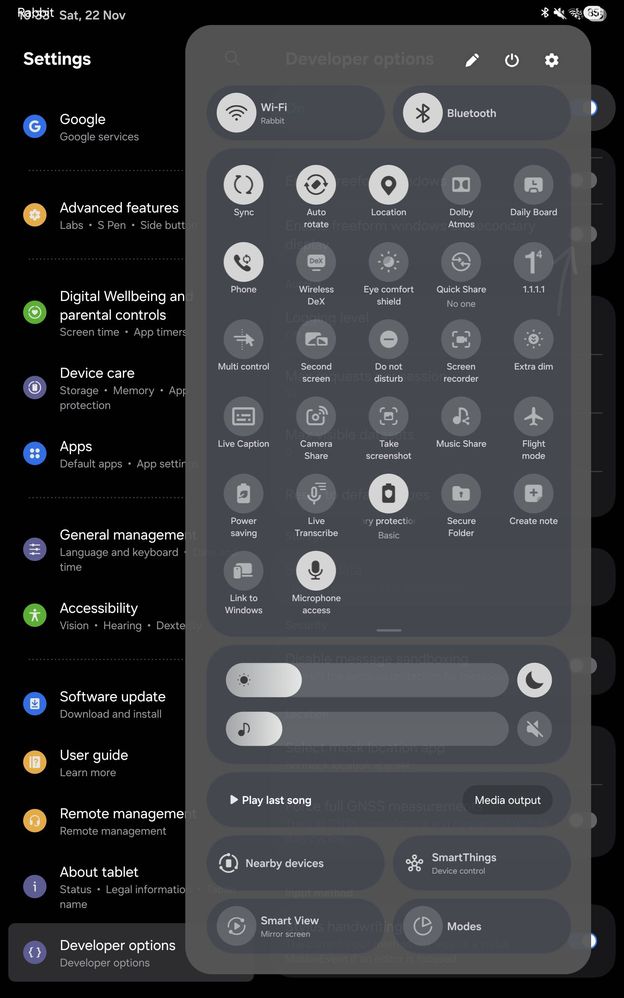
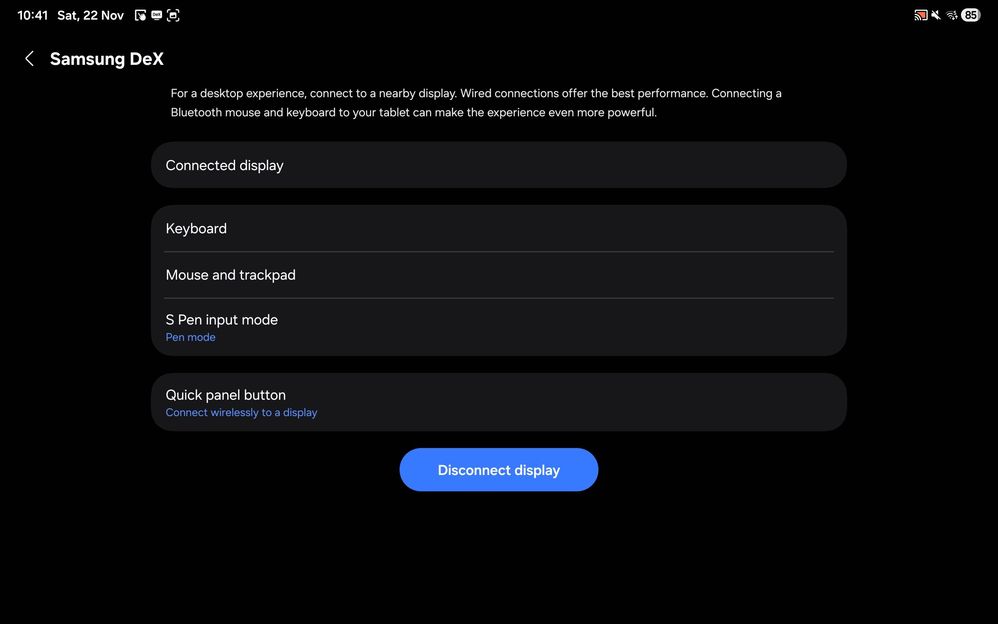
Now for wireless dex, although its not shown in settings under connected devices option. Its still in quick panel and you can connect to compatible display from it.
The only issue was mouse from tablet screen was not working. Only Spen input mode set to pen mode allowed using mouse from tablet with spen. So no support for using mouse with hand. But don't worry any connected mouse or keyboard to tablet or wireless display like tv will allow you input. So its absolutely usable for me.
My samsung tv also got an update yesterday which added support for pointer input from my watch 6, so loved controlling dex from hand gesture 🤏😂.
Will now have to check before updating tablet again in case Samsung remove support in future😂😅
Adding screenshots for your references. Do comment if you find this post helpful.
Dino96
Active Level 6
12-14-2025 01:22 PM
in
0 likes
Kira255
Active Level 6
12-15-2025 12:15 PM
in
0 likes