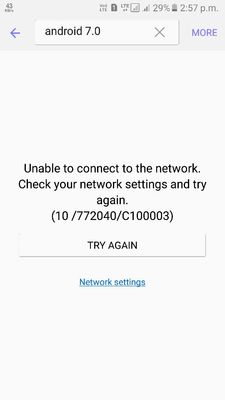
have you tried to open theme store using wifi instead of mobile data? if on wifi problem still exists then you have to clear cached data from storage or simply factory reset as last option
Thanks for being with Samsung and for sharing your concern. Let me recommend some steps to further isolate and determine what you are experiencing. Please be aware that device speeds may vary based on multiple outside factors. It appears that there may be a third party app or other program that may be leading to what you are experiencing. Placing your device in safe mode disables all third party apps upon startup, to help determine if the use of a third party app is interfering with your device .restart your phone in safe mode. While your phone is powered off, press the power button to turn on the phone, once you see the Samsung logo appear press the volume down key and hold it until you have completely booted up. Also, the relevant department may serve you better/speedily, if you can provide logs/video by registering this feedback in Error Section (Samsung Members App -> Feedback -> Questions/Errors -> Create -> Error reports).

iprateik
Active Level 5
02-8-2017 09:59 AM
in
0 likes
Aryan_Singh
Active Level 3
02-8-2017 10:15 AM
in
0 likes
rs
Active Level 9
02-8-2017 12:38 PM
in
0 likes
Aryan_Singh
Active Level 3
02-8-2017 04:05 PM
in
0 likes
arshah
Active Level 7
02-8-2017 01:42 PM
in
0 likes
Aryan_Singh
Active Level 3
02-8-2017 04:06 PM
in
0 likes
iprateik
Active Level 5
02-8-2017 04:48 PM
in
0 likes
iprateik
Active Level 5
02-8-2017 04:50 PM
in
0 likes
Aryan_Singh
Active Level 3
02-9-2017 02:30 AM
in
0 likes
Samsung_India_
Active Level 10
02-9-2017 10:34 AM
in
0 likes
pprakash
Active Level 4
02-11-2017 08:56 AM
in
0 likes
Aryan_Singh
Active Level 3
02-11-2017 09:49 AM
in
0 likes
pram
Active Level 2
02-15-2017 03:39 PM
in
0 likes