
A part of the screen on the galaxy a34 is not responding to any touches. It has to be pressed very firmly to respond. The touch is working just fine on some apps and not in some other apps(like WhatsApp text chat box). If anybody has any fix surely comment.
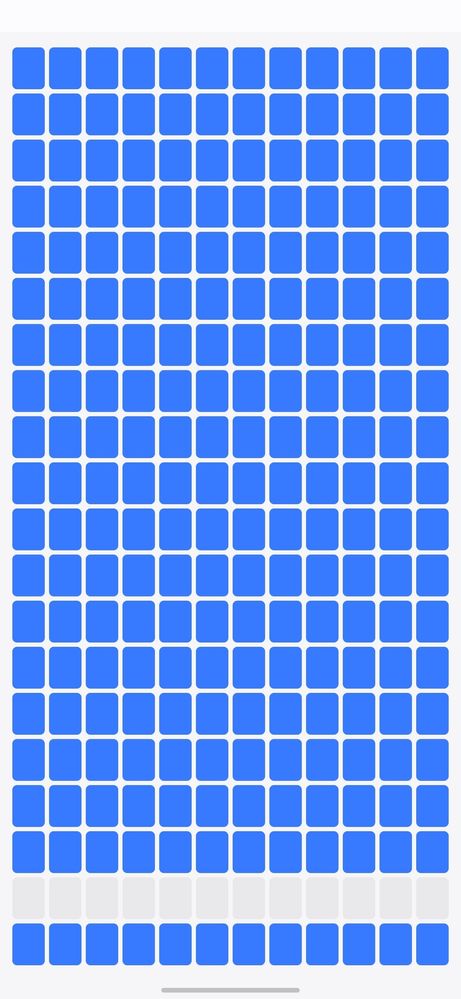
This problem isn't a hardware issue, I feel ,because the squares in the screen diagnostics app can be filled when i am trying 6-7 times on the same area.
cs_member10
Moderator
02-19-2024 11:29 AM
in
Dear Samsung member,
Greetings from Samsung customer support.
As per your query, kindly follow the easy troubleshooting steps which might help to solve the issue.
The phone touch screen could stop working due to physical damage.
Physical damage: The touch screen is broken or damaged. High temperature, cold, moisture, magnet, static electricity can all damage touchscreen of Android phone.
Is your device touch screen physically damage?
Yes, It damaged
Regarding ''Physical damage'' you need to carry your device with its ''original accessories'' to ''Samsung authorized service center''.
Your device will be physically inspected and any ''part'' and ''part price'' related information can only be shared by ''service center'' as it can differ region to region.
Restart the device:
Restart the phone by pressing the Power button and then tap on Restart.
Note: If you use the Fingerprint security feature, the phone will require your backup password to unlock after rebooting.
How to restart the device
Please follow the below steps:
Step1: Press & hold the power key.
Step2: Tap on Restart.
Step3: Tap again to Restart your phone.
Remove memory card:
Are you using ''memory card'' in the device?
Due to some ''unauthorized'' file in memory card device performance will be slow, so if you are using the memory card in your device. I will advise you to safely remove it from your device. For this follow the below steps:
Step1: Before removing the memory card, first, unmount it for safe removal.
On the Home screen, tap Apps > Settings > Device maintenance > Storage > More option > Storage settings > SD card > Unmount.
(Steps may vary according OS to OS)
Insert the ejection pin into the hole on the tray to loosen the tray
Note: Ensure that the ejection pin is perpendicular to the hole. Otherwise, the device may be damaged.
Step2: Pull out the tray gently from the tray slot.
Step3: Remove the memory card.
Step4: Insert the tray back into the tray slot
Note: Please note do not remove the memory card while the device is transferring or accessing information.
Doing so can cause data to be lost or corrupted or damage to the memory card or device.
Samsung is not responsible for losses that result from the misuse of damaged memory cards, including the loss of data.
Check the device in safe mode: https://www.samsung.com/in/support/mobile-devices/safe-mode-on-samsung-phones/
Remove third party application:
Kindly uninstall that application by following the below steps and check once as the issue might occur due to third-party applications.
Navigate to Settings>>Tap on Apps>>Select the third-party application from Apps>>(E.g. DU Recorder )Tap on Uninstall
Update device software (If Software update available): https://www.samsung.com/in/support/mobile-devices/samsung-galaxy-smartphone-how-to-update-software/
Reset the device: https://www.samsung.com/in/support/mobile-devices/samsung-galaxy-mobile-how-to-perform-a-factory-reset/
In case the issue still occurs. We request you to kindly visit the service center for a physical inspection of your device. You can locate your nearest service center with this given link: https://www.samsung.com/in/support/service-center/
Warm Regards,
Samsung Customer Support
0 likes
91714946619457685263
Active Level 5
02-25-2024 05:42 PM
in
0 likes
bhumi280844104110163
Active Level 5
06-11-2024 11:18 PM
in
0 likes
Isahagalaxya34
Active Level 4
06-13-2024 04:31 PM
in
0 likes