
No specific physical LED light required.
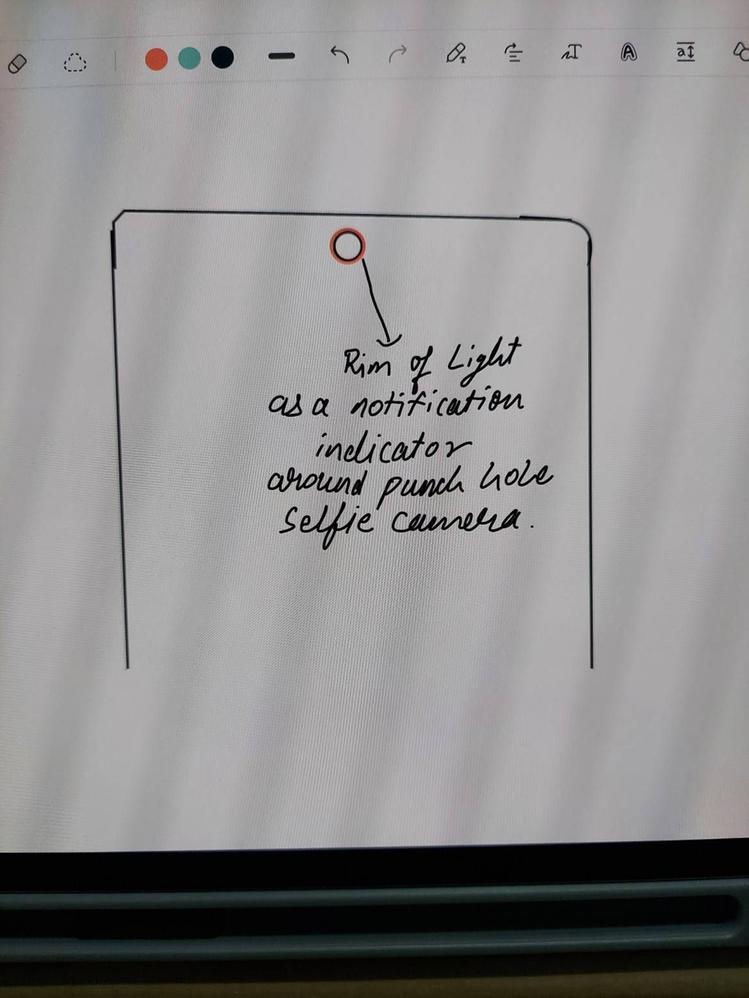
Display should function as an LED indicator. Whenever a notification arrives, screen itself should blink a light around the punch hole camera(ref. Attached image).
The user should be able to change intensity,color,pulse speed of light by assigning indicator for specific app notification in settings menu.
This feature should be functional when the screen is off, i.e. during always on display.
BVikram
Active Level 9
01-22-2022 01:16 PM
in
0 likes
WalkieTechie
Expert Level 4
01-22-2022 02:45 PM
in
cs-member13
Expert Level 4
02-3-2022 06:19 PM
in
Dear Samsung Member,
Greetings from Samsung Customer Support!
Thank you for sharing your feedback. We welcome your suggestion and appreciate the time and effort you have spent to share your valuable comments. This will help us to improve our services.
Thank you for writing to Samsung.
Warm Regards,
Samsung Customer Support
0 likes