
Biometrics provide an excellent way to secure our phones and access them quickly, but there are times when that convenience can be a double-edged sword. The same fingerprint that allows you to access your device easily could be used against your will by authorities or ne'er-do-wells to look at your private information should you become compelled to open your phone, or even worse, should you become incapacitated. If you want to make sure that your physical attributes can't be used against you on your device, it's time you learned about Lockdown Mode.
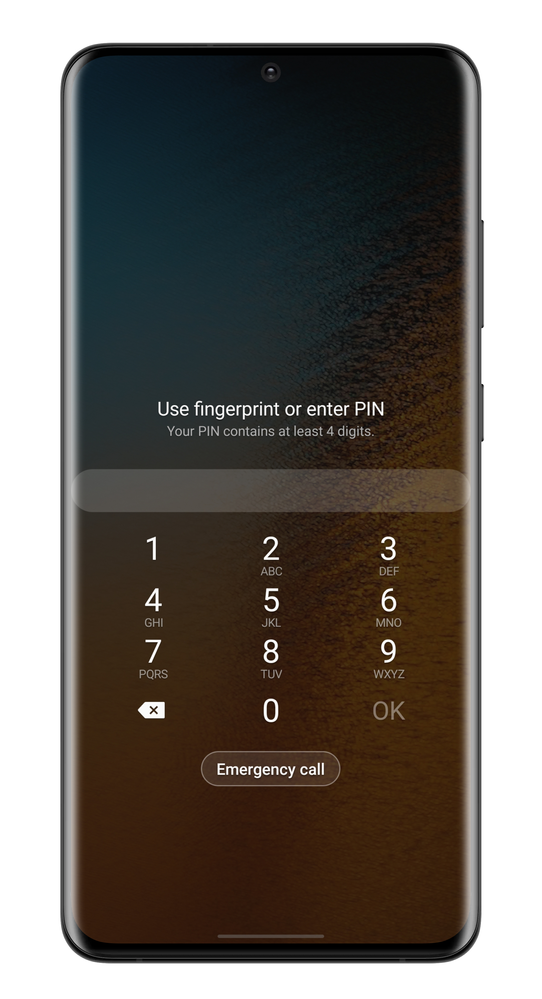
Why should you activate Lockdown Mode?
There may be times when you fear for your privacy or safety and want to make it as difficult as possible for others to access the content on your device. Perhaps you are traveling internationally and are worried that authorities may force you to unlock your phone at the border. Many countries have rules that permit their authorities to compel people to open their devices through biometrics, but not through PINs, patterns, or passwords.
Alternatively, you may find yourself in a large crowd of people and become worried that should you be incapacitated, others could use your face or fingerprints to unlock and access your phone. Regardless of the circumstances, by enabling Lockdown Mode, you can be assured that if someone wants to get into your Galaxy phone, they'll need to know your PIN, pattern, or password.
Source: Android Central
To enable Lockdown Mode on your device:
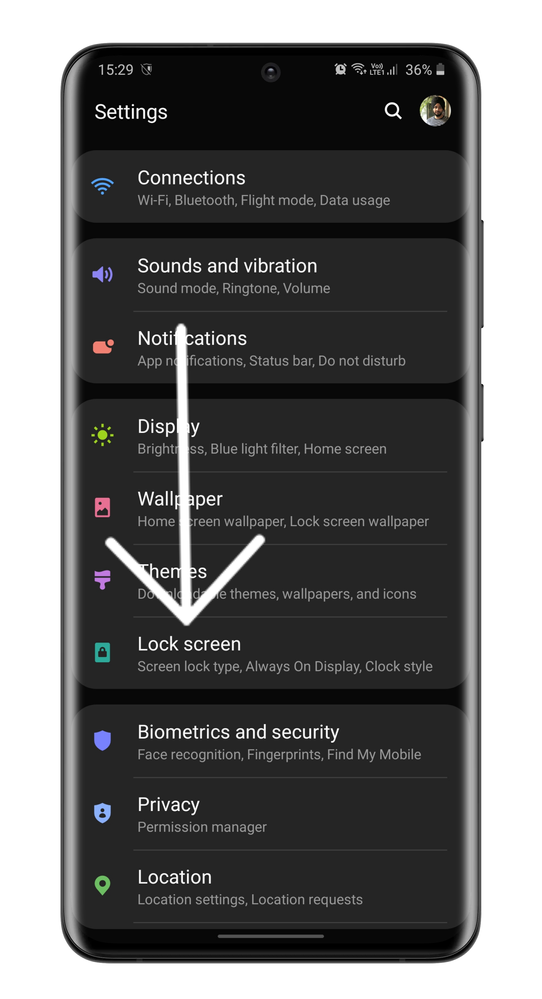
1. Go to settings and click on Lock screen.
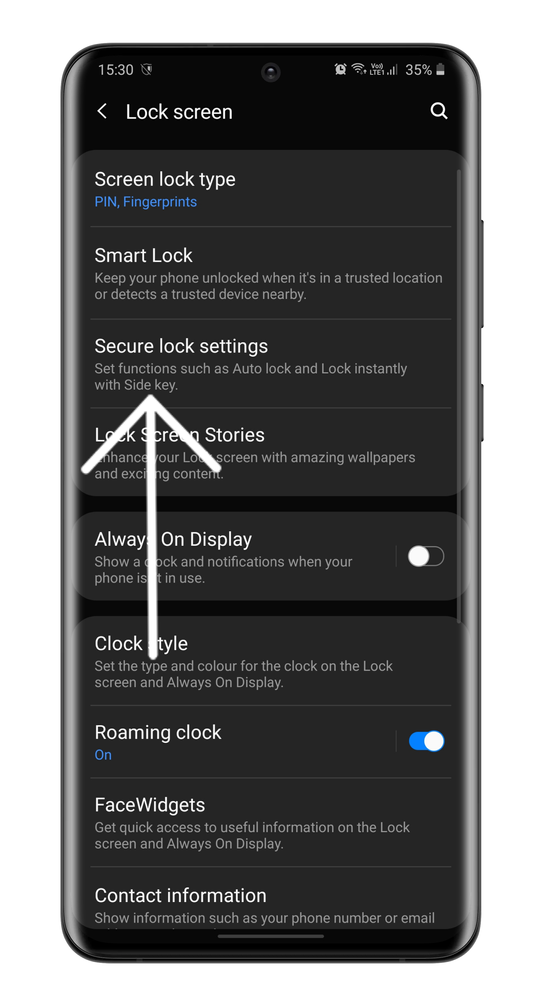
2. Go to secure lock screen settings.
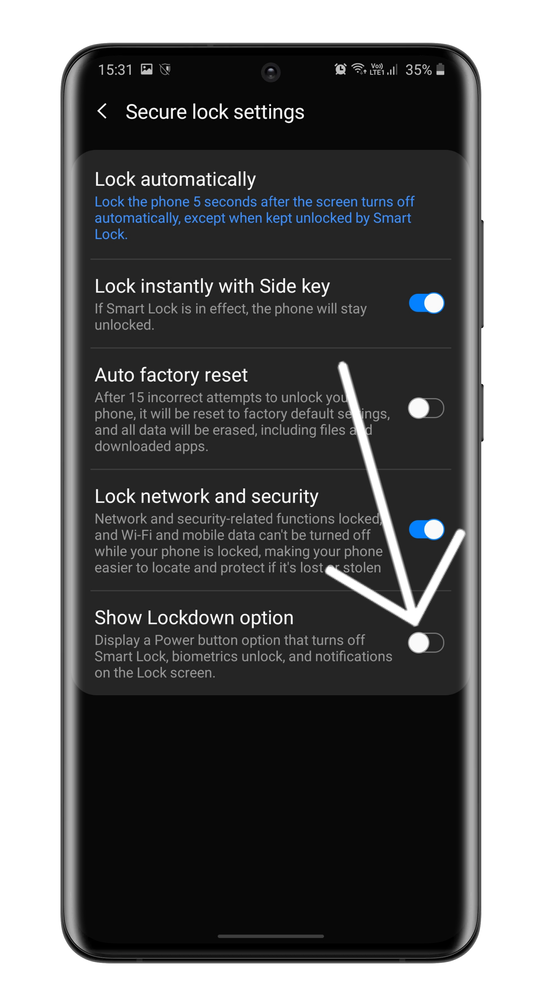
3. Enable lockdown option.
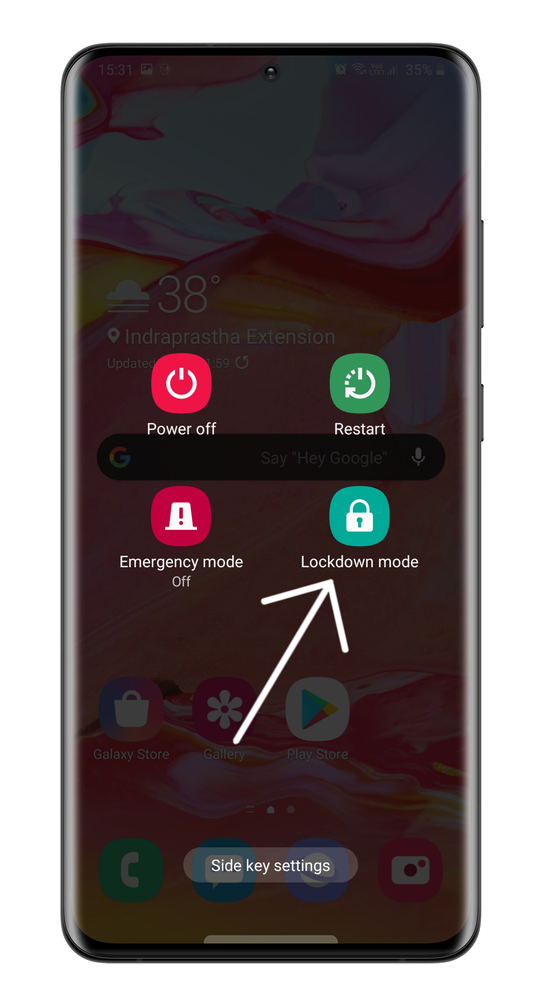
4. Long press the power key, click on lockdown mode.
Now, you can unlock the device without using biometrics.
Anonymous User
Beginner Level 1
6 years ago
in
matlab haar waqt lockdown mien enable ka ke rakha pade ga agar main ne fingerprint scanner hi rakha toh , toh koi fayda nahi fingperint scanner ka phir usse acha iris scanner or face id hi hai
karansingh005
★★
6 years ago
in
0 likes