
For everyone requiring Samsung's Official App lock in Core UI.
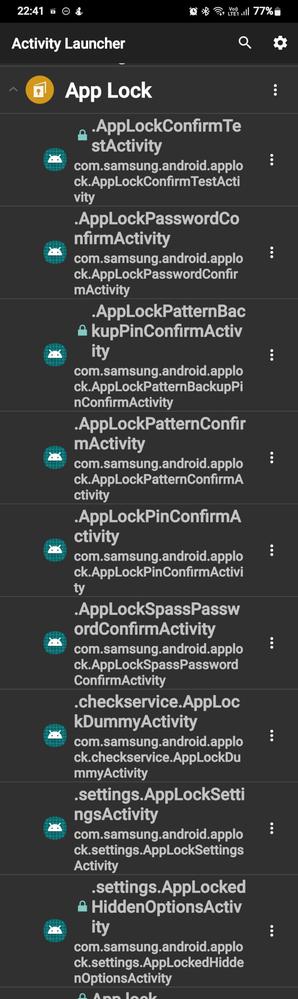
8th option from my side.🙂
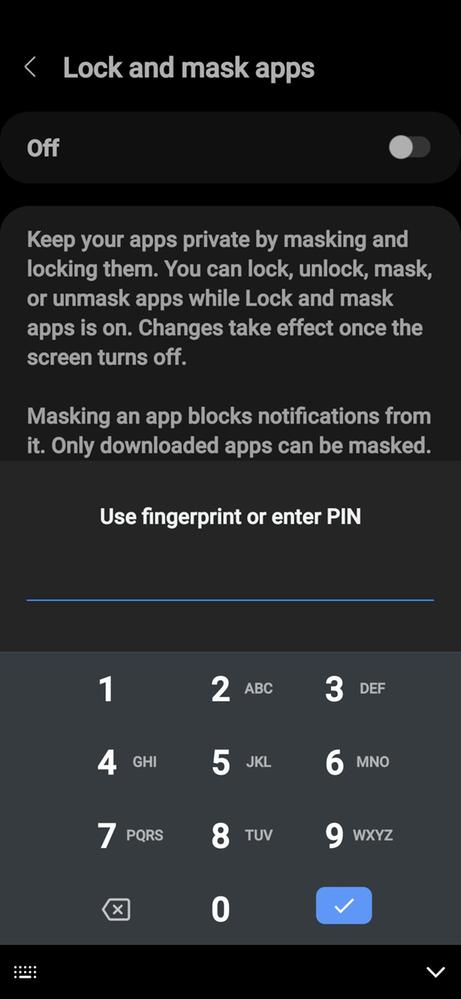
The window that appears right after you launch the activity.
I have a proper solution for you all:
Just download an app named Activity Launcher given the link below:
This app is free to use and also don't requires any specific permission from you side which means no data loss.
Now all you have to do is just install it and let it check all the activities scroll from there and you will soon find an option named Applock just click on it.
There you'll find an activity like:
com.samsung.android.applock.settings.AppLockSettingsActivity
Just click on it and you will be having the Original Samsung Applock Option.
And done,use it with true sake.😁😀
So that's it for this.
Hope you love the solution.
(Thank Me Later)
Vineethjk
Active Level 4
07-19-2023 02:32 AM
in
0 likes
Ultra_Devil
Expert Level 5
07-19-2023 02:49 AM
in
0 likes
Ultra_Devil
Expert Level 5
07-19-2023 02:47 AM
in
0 likes
asoupwithnoveggies
Active Level 5
07-23-2023 05:34 PM
in
0 likes