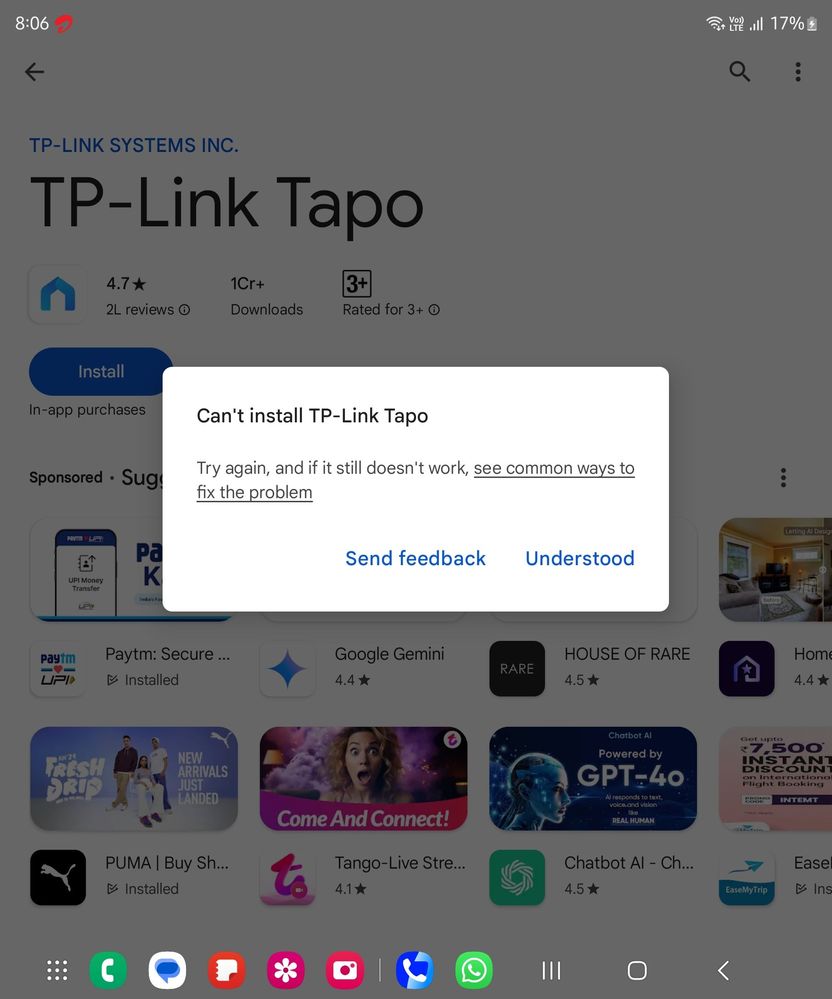
Kindly turn off Auto Scan App Protection permission then try to it's again. If you like please accept as a solution it's help to others users also, click on 3dots in my reply section and click on accept solution. Thanks.
King Of Green lines please welcome 💚 🟩 📗 🟢 🍏🥗 samsung one of the best to experience green lines on phone Steps to get lines - purchase there premium phone and just wait for 1 year that's it you will get green lines and now enjoy 😉😀 your money has gone to 🗑🚮
● Setting >Network preference > auto update apps > Turn on Don't auto update apps.
● Kindly try to update/ install the app by following the given steps. 1) Open the Google Play Store app Google Play. 2) At the top right, tap the profile icon. 3) Tap Settings and then About and then Play Store version. 4) You’ll get a message that tells you if the Play Store is up to date. Tap Got it. If an update is available, it will automatically download and install in a few minutes.
If the issue persists, kindly report the problems with a log file. To share a log file, click on the Samsung Members Application (Open Samsung Members Application > Support> Tap on send feedback> Choose Composer> Select error report> select the appropriate issue category> Type your query and send.)

Selected Answer
goodthings
Expert Level 5
11-4-2024 12:09 PM
in
0 likes
mohnish0007
Active Level 4
11-4-2024 11:58 AM
in
0 likes
goodthings
Expert Level 5
11-4-2024 12:09 PM
in
0 likes
cs_member10
Moderator
11-5-2024 09:17 AM
in
Dear Samsung Member,
Greetings from Samsung Customer Support!
As per your concern, we would request you to kindly perform the following steps to resolve your issues.
● Settings> apps > playstore > storage > clear cache.
● Setting >Network preference > auto update apps > Turn on Don't auto update apps.
● Kindly try to update/ install the app by following the given steps.
1) Open the Google Play Store app Google Play.
2) At the top right, tap the profile icon.
3) Tap Settings and then About and then Play Store version.
4) You’ll get a message that tells you if the Play Store is up to date. Tap Got it.
If an update is available, it will automatically download and install in a few minutes.
If the issue persists, kindly report the problems with a log file. To share a log file, click on the Samsung Members Application (Open Samsung Members Application > Support> Tap on send feedback> Choose Composer> Select error report> select the appropriate issue category> Type your query and send.)
Warm Regards,
Samsung Customer Support
0 likes