
We did not understand what dual messaging application means, if an application is working, We did not understand what dual messaging application means, if an application is working, there is also Samsung message and there is also Google's message. What will you do with a dual messaging app in the same two phones? We either let Samsung's messaging app remain or Google. Stay one, remove a messaging app.
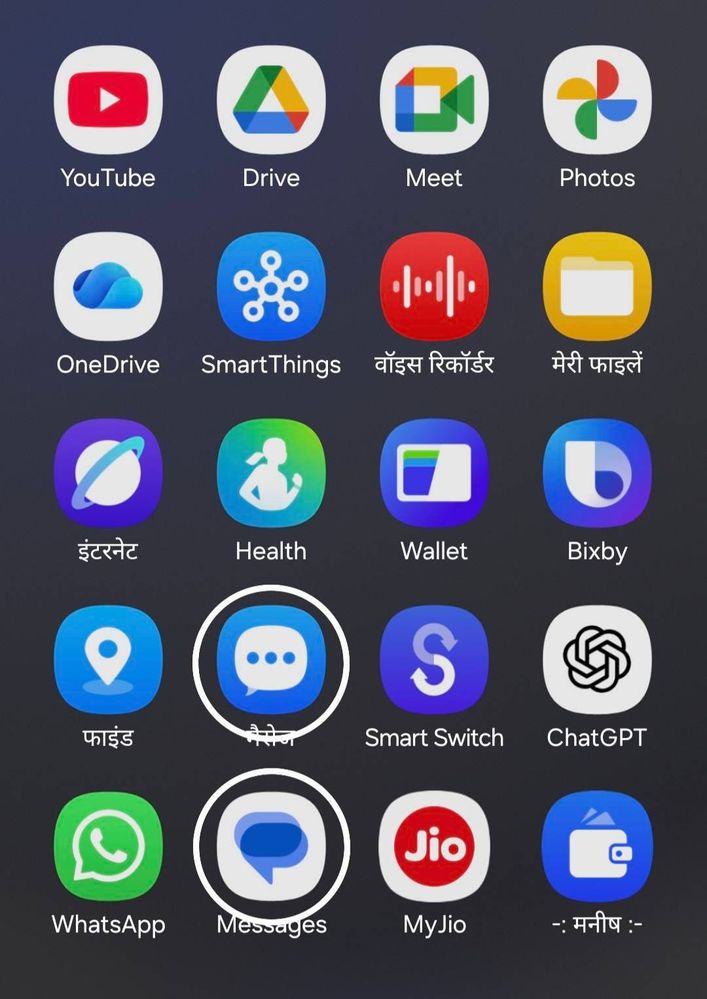
If Samsung is there, keep Samsung or else remove Google. If Google stays, remove Samsung
DINKAR_A34_5G
Expert Level 5
1 year ago
in
0 likes
Sourav_D
Active Level 6
1 year ago
in
both are goods .
0 likes
HARSH95Q
Active Level 4
1 year ago
in
You can disable it
0 likes
cs_member10
Moderator
1 year ago
in
Dear Samsung member,
Greetings from Samsung Customer Support!
We would like to inform you that Samsung devices come with both Google Messages and Samsung Messages apps. We always recommend using the Samsung Messages app on your Samsung device to ensure the best experience in messaging, as it will help you share data with enhanced privacy and security.
However, it's optional to use either app, and you can disable one according to your needs. Furthermore, we appreciate your valuable feedback regarding this matter.
Warm Regards,
Samsung Customer Support
0 likes
Otosan0
Active Level 6
1 year ago
in
0 likes