
as mentioned in my previous error query the secure startup will be turned off on its own like just happened. I've raised this query as ut happened.
im also attaching two screenshots. one is where i turned it on 19th January and second is recent where it shows turned off.
please me me ASAP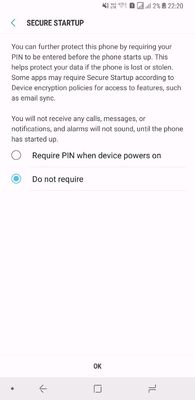
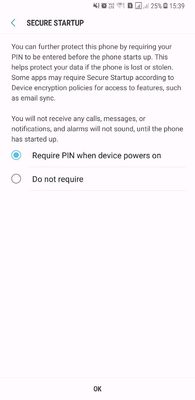
im also attaching two screenshots. one is where i turned it on 19th January and second is recent where it shows turned off.
please me me ASAP
s01gautam
Active Level 6
01-29-2018 01:35 AM
in
0 likes
Prabhahunny
Active Level 5
01-29-2018 07:24 AM
in
0 likes
LilMonsterVi
Active Level 2
01-29-2018 07:34 AM
in
0 likes
admin_
Expert Level 5
01-29-2018 12:39 PM
in
Be sure to hit ♡ when you find an answer that works for you. For Further assistance, you can get in touch with us via Live Chat option by following- http://livechat.support.samsung.com/Customer_new/IN. You can also connect us via Samsung Members web community by following mentioned url-https://community.samsungmembers.com/en_IN#/
0 likes