
I have tried syncing the notes from Samsung Notes app on OneUI 6.1 and now on OneUI 7.0 but these notes and folders don't show anywhere in OneNote or Outlook.
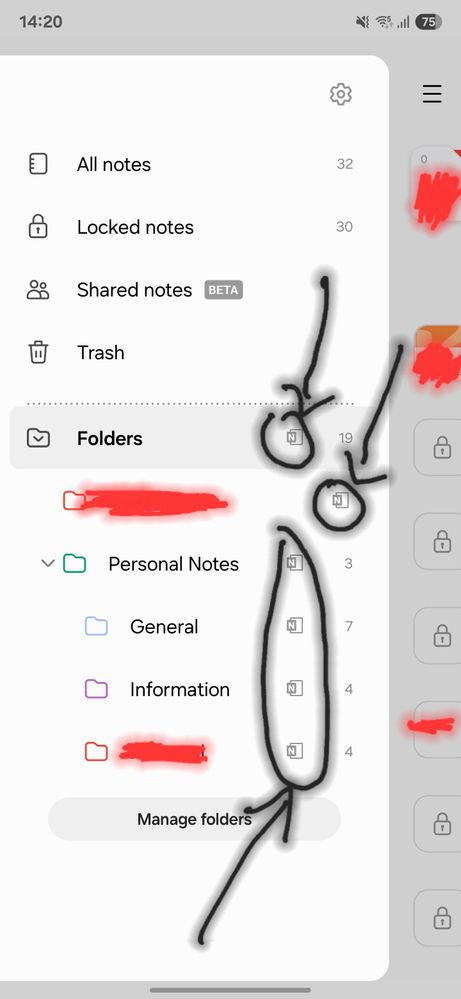
I enabled syncing on mobile data and WiFi both, did a real time sync but nothing happened.
I see OneNote icon next to each folder on Samsung Notes app though.
OneNote icon showing next to each folder.
Where can I see all these folders and the notes inside them on OneNote web or on desktop app as I don't see them anywhere on OneNote.
Selected Answer
User_s23
Active Level 5
03-15-2025 10:02 AM
in
U will see a note(feed ) option on the right side
Login again with the Microsoft id again
And u will see the notes there
And u can see the notes in one note mobile app also
In the home section
0 likes
User_s23
Active Level 5
03-15-2025 09:15 AM
in
0 likes
User_s23
Active Level 5
03-15-2025 10:02 AM
in
Thanks!👍🫡
0 likes
picsverge
Active Level 5
03-15-2025 10:07 AM
in
User_s23
Active Level 5
03-15-2025 10:10 AM
in
0 likes
GAFARBADI
Active Level 3
03-15-2025 09:49 AM
in
0 likes
picsverge
Active Level 5
03-15-2025 09:51 AM
in
0 likes