Thank you for sharing your concern. We acknowledge your query and apologize for the same. And please follow the easy troubleshooting steps which might help to solve the issue.
1. Restart your Samsung device.
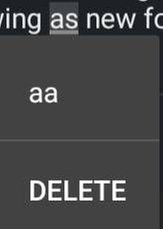
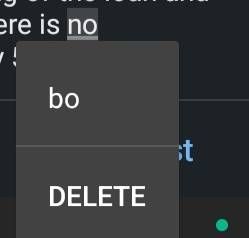
2. Clear the cache of the keyboard app you are using, and if that does not fix the problem clear the app's data.
3. Reset the keyboard settings. Go to Settings > Language and Input > Samsung Keyboard > Reset Settings.
In case the issue still occurs. Please register your concern in Samsung Members Application (Open Samsung Members Application > Support> Tap on error report > Type your query > Send).
Thank you for writing to Samsung. Warm regard, Samsung customer support

peterpgerald
Active Level 3
03-2-2023 08:57 AM
in
0 likes
cs_member8
Moderator
03-21-2023 01:41 PM
in
Dear Samsung member,
Greetings from Samsung customer support.
Thank you for sharing your concern. We acknowledge your query and apologize for the same. And please follow the easy troubleshooting steps which might help to solve the issue.
1. Restart your Samsung device.
2. Clear the cache of the keyboard app you are using, and if that does not fix the problem clear the app's data.
3. Reset the keyboard settings. Go to Settings > Language and Input > Samsung Keyboard > Reset Settings.
In case the issue still occurs. Please register your concern in Samsung Members Application (Open Samsung Members Application > Support> Tap on error report > Type your query > Send).
Thank you for writing to Samsung.
Warm regard,
Samsung customer support
0 likes