
Hello,
Team members or developer of Samsung.
Im using S23u last 6 months. But its a matter of sad im facing problem with Messanger.
My messanger is getting Hang or freeze. After freezing have to close the window or force stop to messanger. Then I can able to use Messanger. Rest of my phone's Apps are running well.
After received android 14 and One UI 6.0 update I factory reset my phone also. But nothing Change.
Pls help to me solve this issue.
Samsung S23u
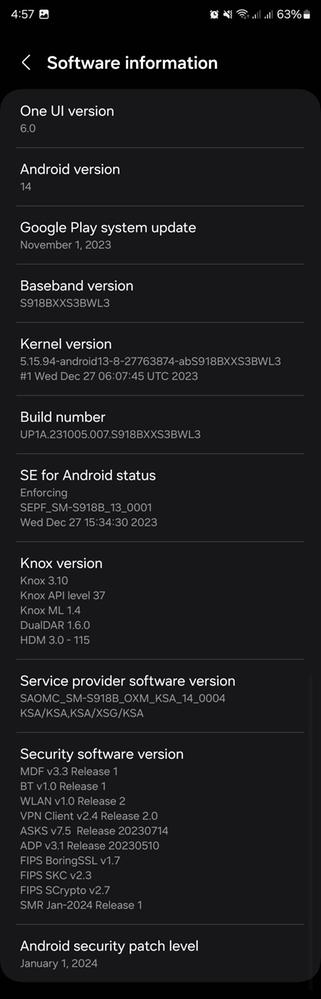
OneUI: 6.0
I attachted details below screen Shot.
Regards.
goodthings
Expert Level 5
3 years ago
in
0 likes
goodthings
Expert Level 5
3 years ago
in
0 likes
sswapon
Active Level 4
3 years ago
in
0 likes
goodthings
Expert Level 5
3 years ago
in
0 likes
goodthings
Expert Level 5
3 years ago
in
0 likes
cs_member10
Moderator
3 years ago
in
Dear Samsung Member,
Greetings from Samsung Customer Support!
As per your query, we request you kindly share the log file. This will help us to further investigate and resolve this issue.
To attach the log file: Samsung Members Application (Open Samsung Members Application > Support> Tap on error report > Type your query > Send).
Note: To ensure relevant log information is included in the error report, submit the report within 3 minutes of encountering the bug or error, and do not terminate (swipe away) the Samsung Members application until you are notified that the report has been sent. This can take up to 5 minutes.
Warm Regards,
Samsung Customer Support
0 likes