
My this S22+ i have noticed is over heating a lot since last week BTW
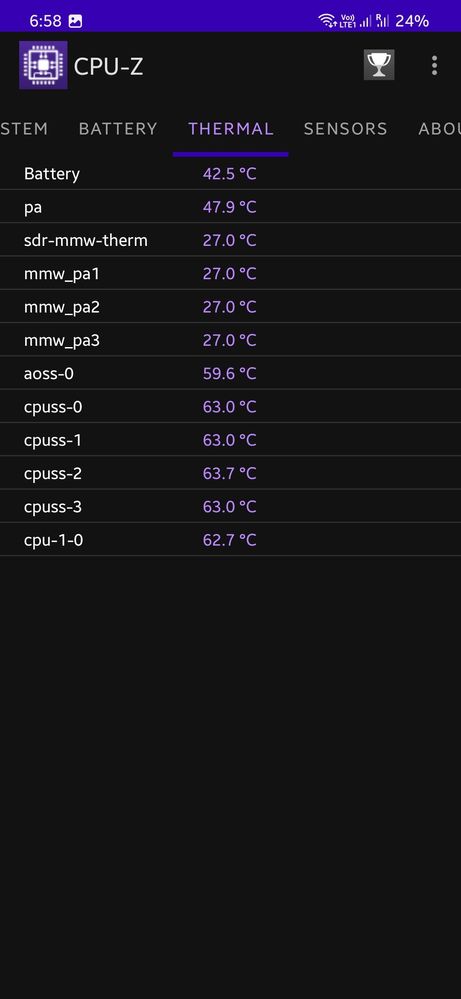
Even when My environment temperature was around 25-30 still out of nowhere this phone turns into heater plus batter drain is also wild !
JithinAjith
Expert Level 3
2 years ago
in
Settings 》Connections 》More connection settings 》Printing 》Turn off default printing service
Device care 》Battery 》Background usage limit 》Deep sleeping apps 》 add apps
Settings 》Location 》Improve Accuracy 》Turn off Bluetooth and WiFi scanning
0 likes
Samshuvam
Active Level 6
2 years ago
in
Why samsung 🫠😭😭
0 likes
cs_member10
Moderator
2 years ago
in
Dear Samsung Member,
Greetings from Samsung Customer Support!
As per your concern, we would request you to kindly perform the following steps to resolve your issue by using the given links.
Galaxy device heating issue: https://www.samsung.com/in/support/mobile-devices/why-the-device-heats-up-during-use/
Update the software if available: https://www.samsung.com/in/support/mobile-devices/samsung-galaxy-smartphone-how-to-update-software/
You can reset your device by following the steps from the below link.
https://www.samsung.com/in/support/mobile-devices/samsung-galaxy-mobile-how-to-perform-a-factory-res...
If the issue still occurs, please visit the service centre for a physical inspection of your device. You can locate your nearest service center with this given link: https://www.samsung.com/in/support/service-center/
Warm Regards,
Samsung Customer Support