
I have just brought S21 FE phone which has 30x zoom and being a S series flagship phone I expected a better quality camera. Such a bad quality even in day light is not at all acceptable.
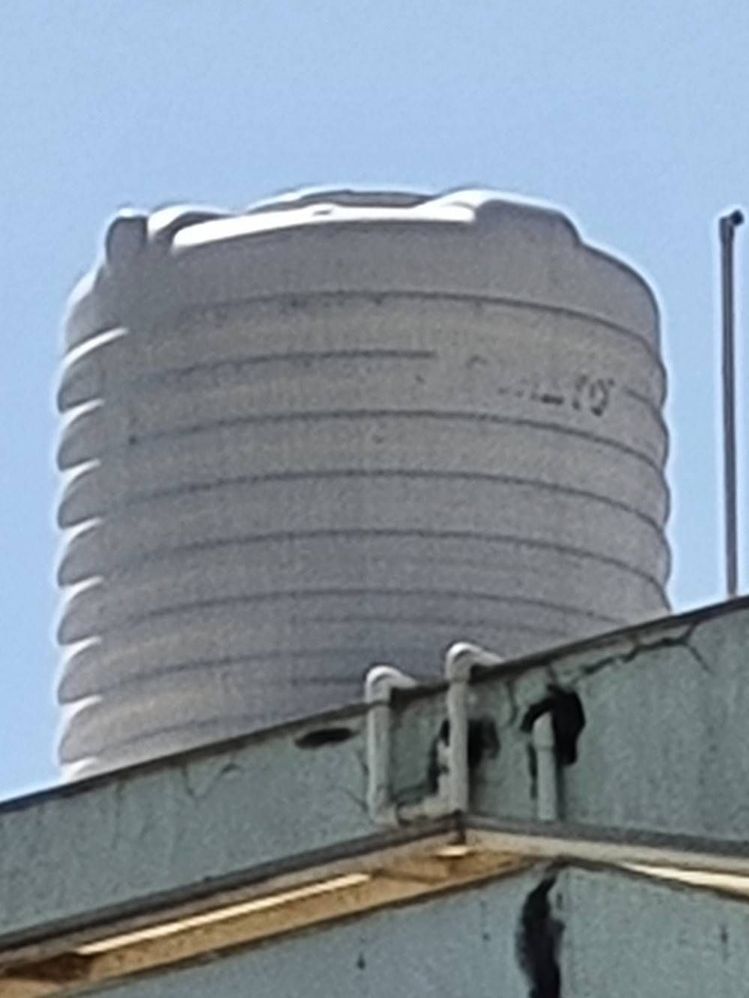
Samsung must provide some update to this.
indiantrueindian
★★
4 years ago
in
Please note finally its also a phone , and quality will surely decreasing as more as you zoom in.
rishabhmundhra
Active Level 1
4 years ago
in
Actually what samsung does is processes the image when and after it is captured. But here Samsung did nothing to provide a more clear image. Maybe it's a bug or is this the max camera quality S 21 Fe has?
Yes you are correct it is a phone but I had more expectations from a S series flagship phone.
0 likes
SamPro
Active Level 9
4 years ago
in
GOPINATH-R
Expert Level 5
4 years ago
in
cs-member11
Moderator
4 years ago
in
Dear Samsung member,
Greetings from Samsung customer support.
Thank you for sharing your concern. We acknowledge your query and apologize for the same. We apologize for the inconvenience you are facing And please follow the easy troubleshooting steps which might help to solve the issue.
Check the physical condition of your camera lens.
1. Broken camera lens.
2. Scratchy camera lens.
Please check there is no laminated or tempered glass pasted on the camera.
Use a microfiber cloth or a cleaning wipe. Gently remove the fingerprint, dirt, and dust from the camera lens.
If the issue has not been resolved then Reset camera settings
Please follow the below steps:
Step1: From the home screen tap on Camera.
Step2: Tap on Settings.
Step3: Scroll up and tap on Reset settings.
Step4: Tap on Reset.
In case the issue still occurs. Please register your concern in Samsung Members Application (Open Samsung Members Application > Get help > Send Feedback >Ask questions).
Thank you for writing to Samsung.
Warm Regards,
Samsung Customer Support
0 likes
satdidoS26Ultra
Active Level 10
4 years ago
in
satdidoS26Ultra
Active Level 10
4 years ago
in
rishabhmundhra
Active Level 1
4 years ago
in
0 likes
satdidoS26Ultra
Active Level 10
4 years ago
in
rishabhmundhra
Active Level 1
4 years ago
in
0 likes