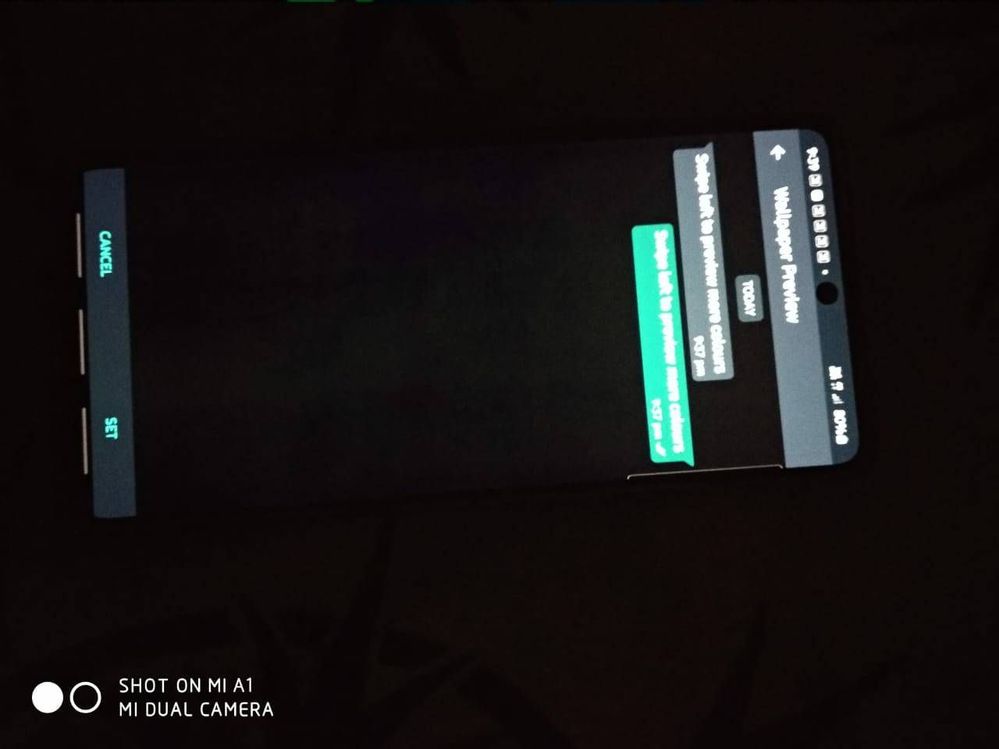
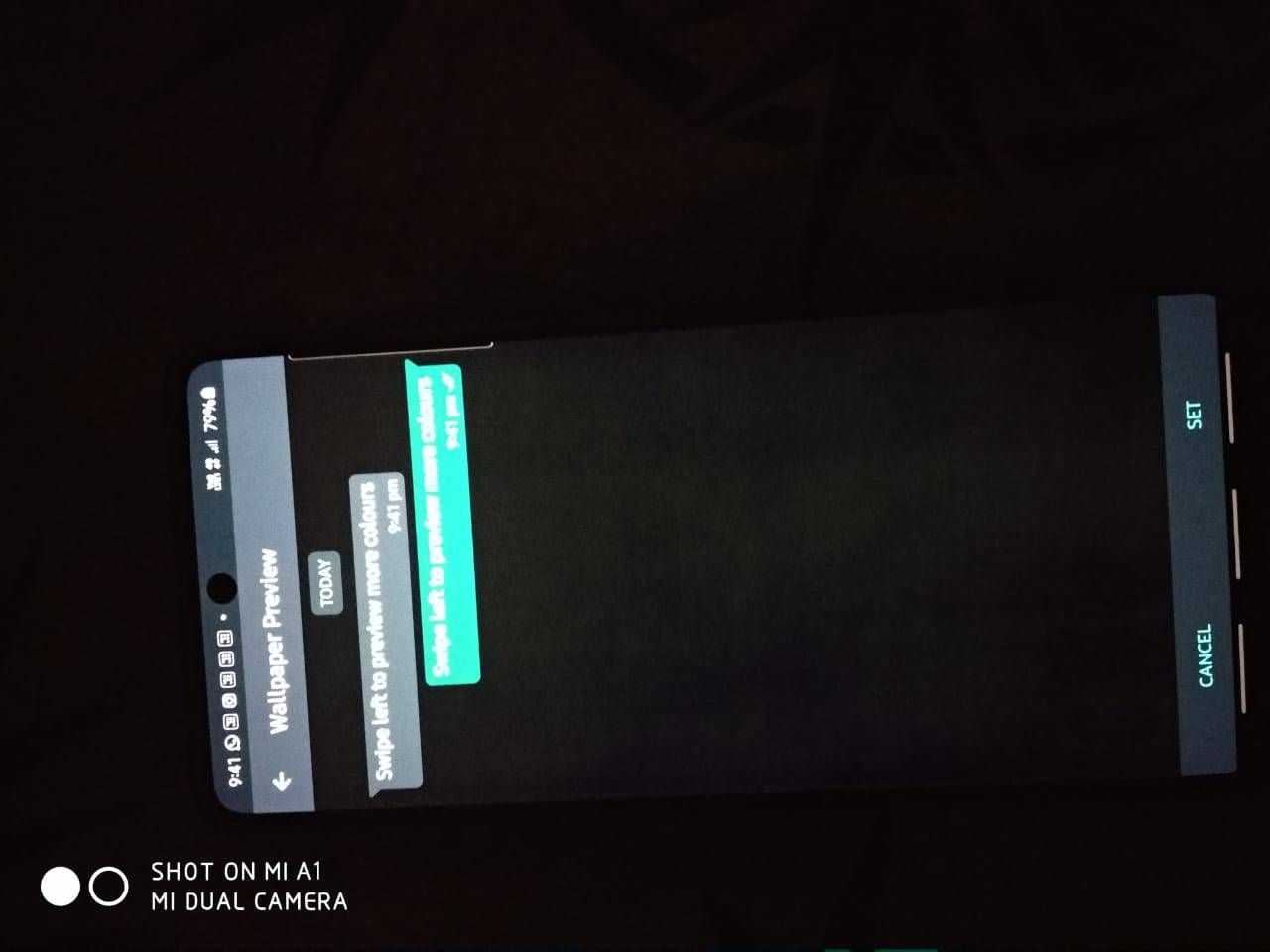
Same here. This issue only comes up on 15% autobrightness, mostly in pitch darkness. Even a slight increase of brightness from 15% and the issue is gone.
To resolve "display" issue kindly follow the given below steps:
1) Reset the device: settings >General Management > Tap on Reset. Note: Before reset make sure to have back up of the data via Smart Switch Mobile App (Install Smart Switch App > Open > Click on Memory Card Icon >Back Up option > Choose the data for Back up > Back Up).
If the issue still persist, kindly register your concern in Samsung Members app (Samsung Members app > Get help > Feedback > Error report) along with the Video or Screen-shots(as provided above). This will help us to further investigate and resolve your concern." Note: Please send device log files within 15 minutes of issue occurrence along with the exact issue details. Thank you for writing to Samsung.

sakthikings
Active Level 7
6 years ago
in
0 likes
Banker
Active Level 6
6 years ago
in
coz i am using s10 lite so only I asked
0 likes
sreevijay
Active Level 9
6 years ago
in
0 likes
krish1204
Active Level 3
6 years ago
in
0 likes
Anonymous User
Beginner Level 1
6 years ago
in
0 likes
krish1204
Active Level 3
6 years ago
in
0 likes
Prk236
Active Level 1
6 years ago
in
0 likes
krish1204
Active Level 3
6 years ago
in
0 likes
s10lte
Active Level 1
6 years ago
in
0 likes
cs-member13
Expert Level 4
6 years ago
in
Dear Samsung Member,
Greetings from Samsung Customer Support!
To resolve "display" issue kindly follow the given below steps:
1) Reset the device: settings >General Management > Tap on Reset.
Note: Before reset make sure to have back up of the data via Smart Switch Mobile App
(Install Smart Switch App > Open > Click on Memory Card Icon >Back Up option > Choose the data for Back up > Back Up).
If the issue still persist, kindly register your concern in Samsung Members app (Samsung Members app > Get help > Feedback > Error report) along with the Video or Screen-shots(as provided above). This will help us to further investigate and resolve your concern."
Note: Please send device log files within 15 minutes of issue occurrence along with the exact issue details.
Thank you for writing to Samsung.
Warm Regards,
Samsung Customer Support
0 likes
krish1204
Active Level 3
6 years ago
in
R18Sahil
Active Level 2
6 years ago
in
0 likes