
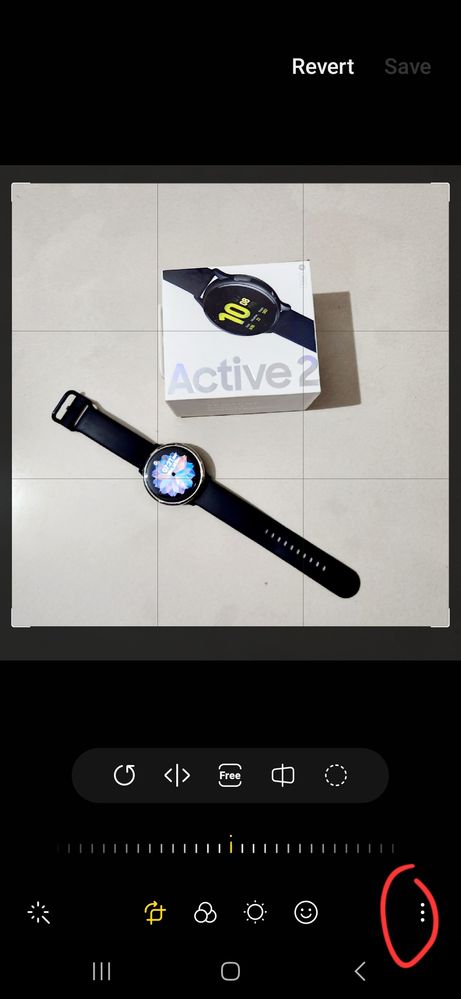
Step 1 - open any image and go to edit button and then select 3 dots
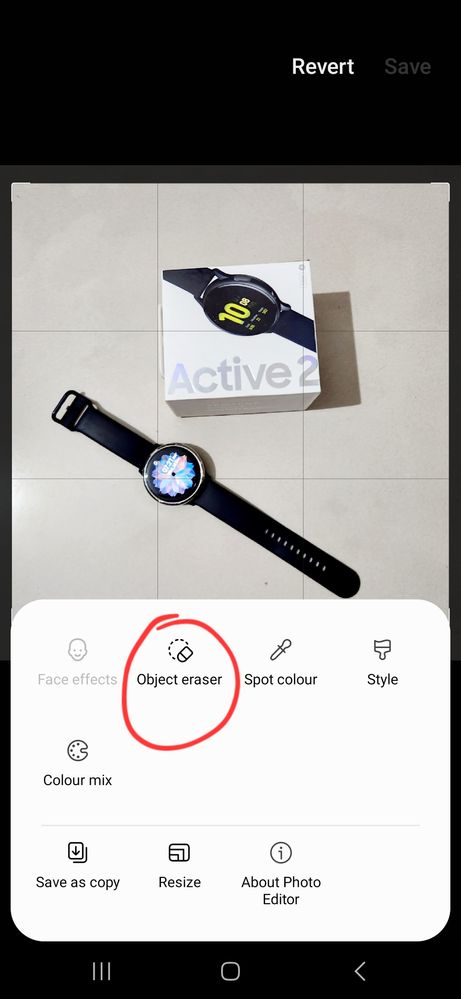
Step 2 - Select object eraser option
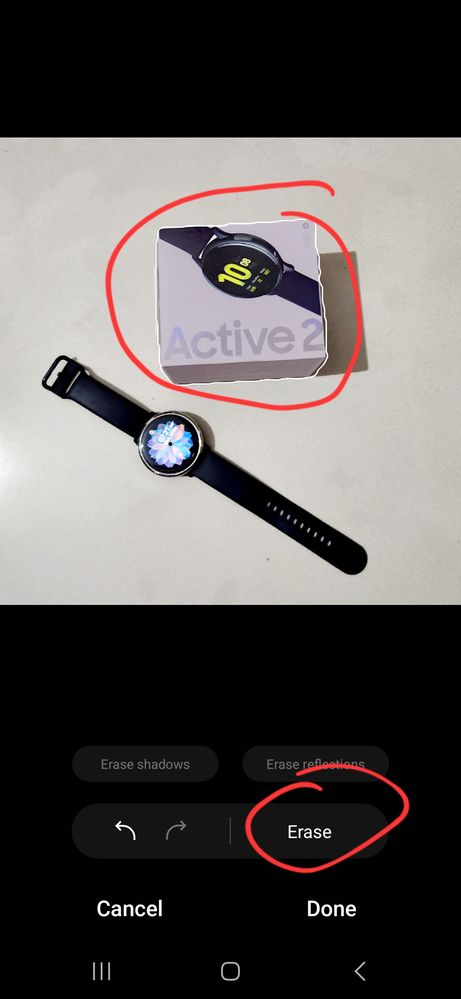
Step 3 - Select the whole object which you want to remove and then go to erase option
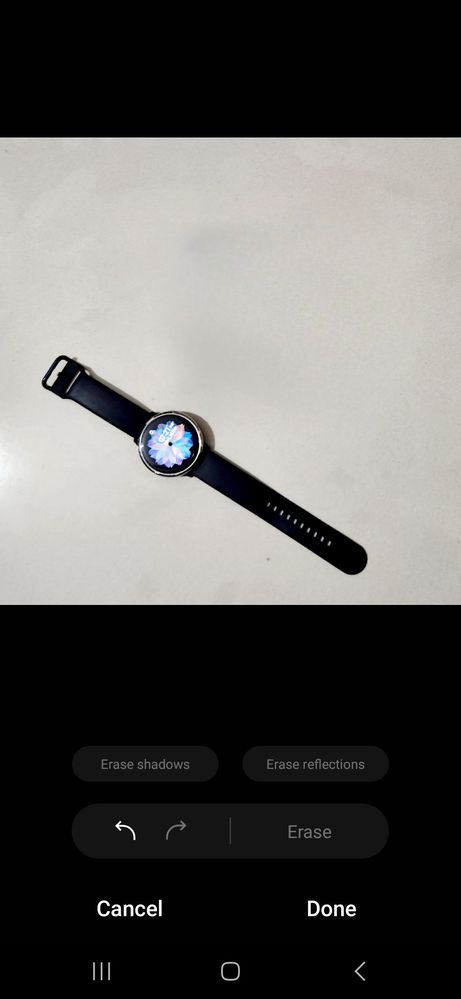
Step 4 - now you can see your object is removed with perfection
TechiePradhumn
★
4 years ago
in
0 likes
Kuldeep_Rvl
Expert Level 5
4 years ago
in
0 likes
TechiePradhumn
★
4 years ago
in
0 likes