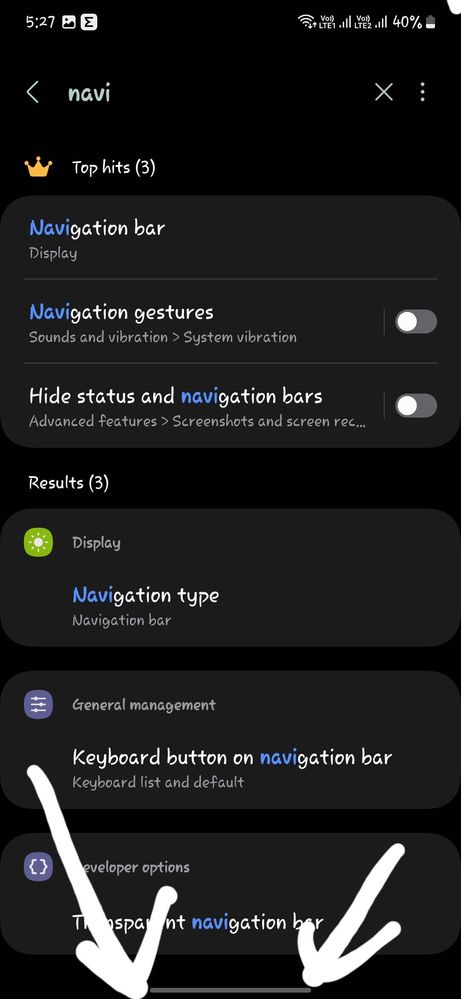
I jumped from android 12 to Android 14, in my previous phone I.e M51 which was on android 12 there was a option to hide navigation bar.But in andorid 14 S 23 fe there is no option how to hide it?
You Can Remove It Through Good Lock By:- Download Good Lock→Open Good Lock→NavStar→ then turn on the "Enable Extra Gesture Settings". After that go to the phone settings → Display→Navigation bar→ More options →turn off the "Gesture hint" option.

Selected Answer
Lutapi
Active Level 3
10-9-2024 12:10 PM
in
0 likes
Selected Answer
KS17
Active Level 3
10-9-2024 12:11 PM
in
0 likes
Selected Answer
unknown_s
Expert Level 5
10-9-2024 12:13 PM
in
Download Good Lock→Open Good Lock→NavStar→ then turn on the "Enable Extra Gesture Settings". After that go to the phone settings → Display→Navigation bar→ More options →turn off the "Gesture hint" option.
Invincible7
Active Level 9
10-9-2024 03:30 PM
in
0 likes
Lutapi
Active Level 3
10-9-2024 03:32 PM
in
Invincible7
Active Level 9
10-9-2024 03:37 PM
in
0 likes