
In my S25Fe the Google Play System Update is stuck
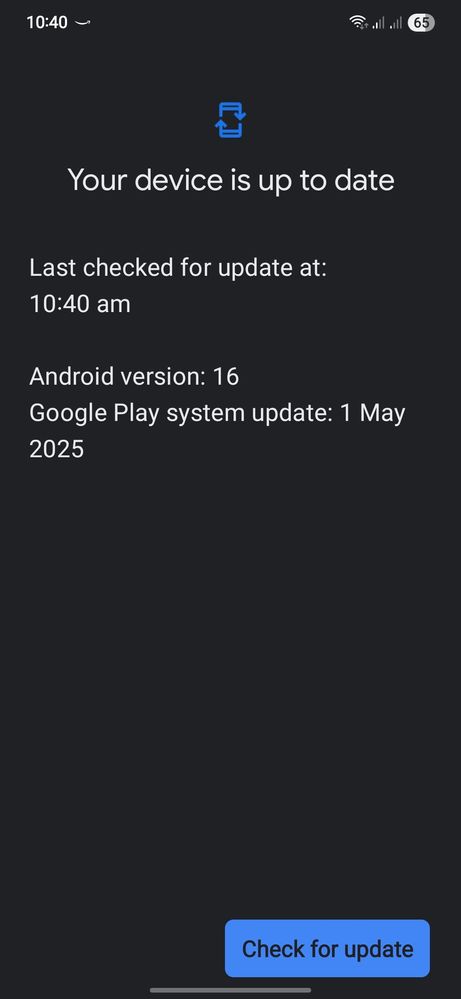
in May 2025 and does not update further. I have other phones like OnePlus and Motorola in which I have received September update. I don't understand why it is not updating. Anyone has any solution ?
goodthings
Expert Level 5
1 year ago
in
0 likes
Balsub
Active Level 5
1 year ago
in
goodthings
Expert Level 5
1 year ago
in
0 likes
goodthings
Expert Level 5
1 year ago
in
sarweshwar1saini
Active Level 9
1 year ago
in
(Routines + , registar)
1. Double tap for screenshot
(Good lock - registar-back tap action- double tap- take screenshot)
2. Triple tap for open payment app
(Good lock - registar-back tap action- triple tap- open app)
3. Dont switch of without password
( setting - search - lock network and security -option- on)
4. Wifi reminder after disconnect
(Setting - modes and routine- routines- add - select if- wifi network select wifi name and check disconnect-select -then - search custom notification and type and on read aloud and save)
5. Charger connect reminder
6. Low bettery announcement
7. Text copy from photo
8. Object eraser
9. Object clip and drag from photo
10. Intelligent wifi
11. Mute with gesture
12. Member app for phone diagnostic
13. Live doodle
14. Knox security for save password in special chip
15. Easy mode
16. Individual app volume
(Good lock - sound assistant- Individual app volume)
17. Seprate app sound for Bluetooth
(Setting- sound and vibration - Seprate app sound- select app for only buletooth device- Bluetooth device)
18. Voice focus
19. Gallery photo to pdf
20. Side button setting
21.- Left finger setting right finger setting
(Routine + in good lock , finger print to website )
22. Notification advanced categories each app
23. Vibrate when answerd
(Phone app )
24. Auto blocker for dangerous app
25. बिना अनाउंसमेंट के कॉल कॉल रिकॉर्डिंग
26. कस्टमाइज्ड कॉल बैकग्राउंड
27. मोबाइल हॉटस्पॉट में वन टाइम पासवर्ड
28. lock screen customization
touch and hold to edit
29. secure folder
30. os update
31. samsung best quality
32. super AMOLED display
(Antireflective coating on display)
33. Nfc
34. Bettery protection
(Setting bettery - protection- basic)
35. S series dex mode
(Hotstar)
36. Talk to bixby without backup
37. S pen
38. Best night photography
39. Interaction control
40. Ultra wide sensor
41. Instant slow motion video
42. Circle to search
43. Interpreter
44. Auto trim
45. Audio eraser
46. Log video
47. Live call translate
48. Drawing assistant
49. Best face
(Camera photo on motion photo after click swipe in gallery and suggestion select best face )
50. Seamless action across app
51. Maintenance mode
52. Transcribe call recording (in recorder app )
53. Ambient mode
(Connect Bluetooth and on Ambient mode and drop your phone near person and now you can hear with buds)
54. Same time 2 buds use
55. One hand mode (home key upper swipe)
56. Dual camera recording (lens change or seprate save and together save)
57. Wireless charging
0 likes
Balsub
Active Level 5
1 year ago
in
0 likes