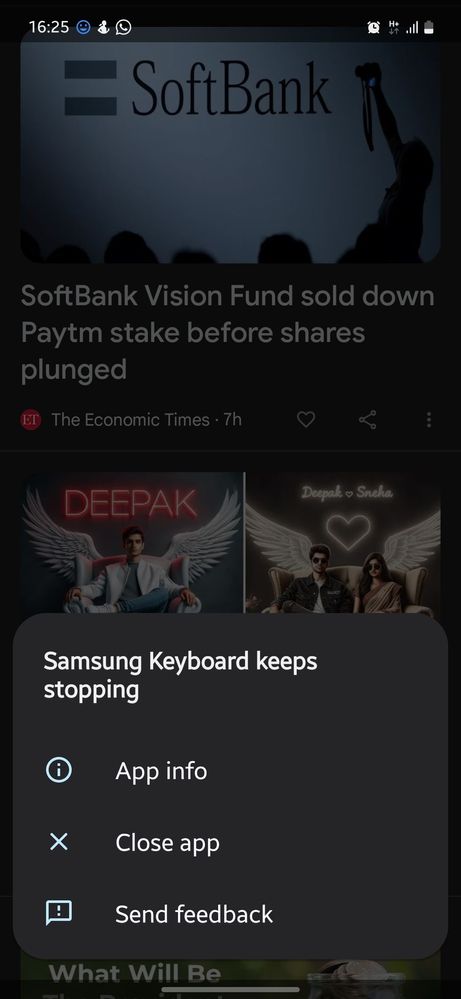
As per your query, we would like to inform you that our concerned team is working on it. it will be fixed soon with an update meanwhile, for now, Use the Samsung keyboard inside the secure folder application. Clear the secure folder and keyboard app cache if getting the popup message ‘Samsung Keyboard Keeps Stopping’.
Navigation Path to clear keyboard cache: Settings > Apps > Show System Apps (enable) > Search Samsung Keyboard > Storage >Clear Cache.
Navigation Path to clear secure folder cache: Long Touch at ‘Secure Folder’ app icon > Open app Info screen > Storage > Clear Cache. Note: This is a temporary solution and helps the user to get rid of frequent keyboard crash messages he may require to repeat the cache clearance process if frequently using a Samsung keyboard inside a secure folder.
In case the issue still occurs, kindly report the problems with a log file. To share a log file, click on the Samsung Members Application (Open Samsung Members Application > Support> Tap on error report > Type your query > Send).

ѵօϲɑӀ4ӀօϲɑӀ
★★
04-4-2024 12:53 PM
in
0 likes
cs_member10
Moderator
04-5-2024 04:15 AM
in
Dear Samsung Member,
Greetings from Samsung Customer Support!
As per your query, we would like to inform you that our concerned team is working on it. it will be fixed soon with an update meanwhile, for now, Use the Samsung keyboard inside the secure folder application. Clear the secure folder and keyboard app cache if getting the popup message ‘Samsung Keyboard Keeps Stopping’.
Navigation Path to clear keyboard cache: Settings > Apps > Show System Apps (enable) > Search Samsung Keyboard > Storage >Clear Cache.
Navigation Path to clear secure folder cache: Long Touch at ‘Secure Folder’ app icon > Open app Info screen > Storage > Clear Cache.
Note: This is a temporary solution and helps the user to get rid of frequent keyboard crash messages he may require to repeat the cache clearance process if frequently using a Samsung keyboard inside a secure folder.
In case the issue still occurs, kindly report the problems with a log file. To share a log file, click on the Samsung Members Application (Open Samsung Members Application > Support> Tap on error report > Type your query > Send).
Warm Regards,
Samsung Customer Support
0 likes