
I am seeing an extra shutter button at top in my camera app for photo mode. Is there anything I can do about it? Is this bug faced by everyone? My device is #s20fe5g
Is there any solution to this issue? Options under the top shutter are not usable.
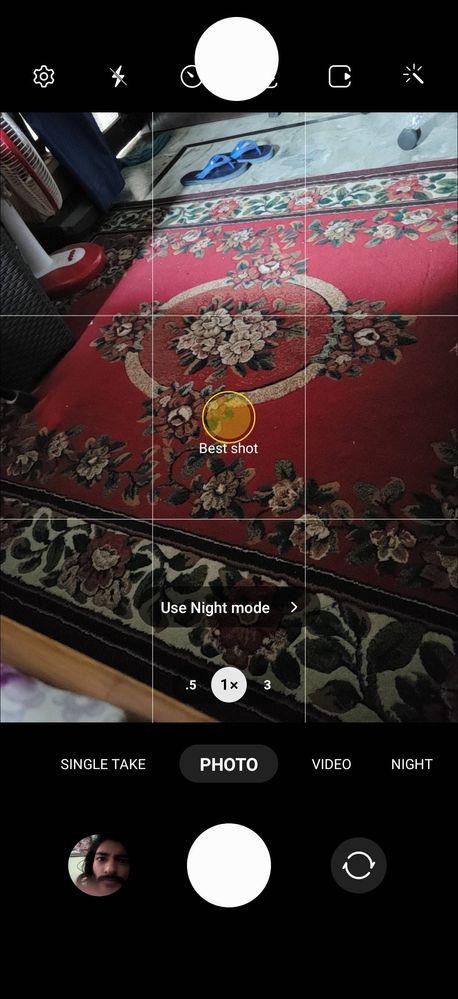
There is extra shutter at top in samsung camera app.
AayushS23
Active Level 1
09-29-2022 03:50 AM
in
Sidhabhi
★★
09-29-2022 04:03 AM
in
Drag it back and merge it to the main camera shutter button or long press and delete it.
UdayveerSiingh
Active Level 6
09-29-2022 04:04 AM
in
pixelbug_abhi
Active Level 5
09-29-2022 04:38 AM
in
The use of this is to take photos in case your finger can't reach the fixed shutter button. You can adjust the position of the floating shutter button as per your requirement.