
Samsung Please Add Data Saver Quick Settings Toggle so that we dont have to navigate to Settings App the whole Time
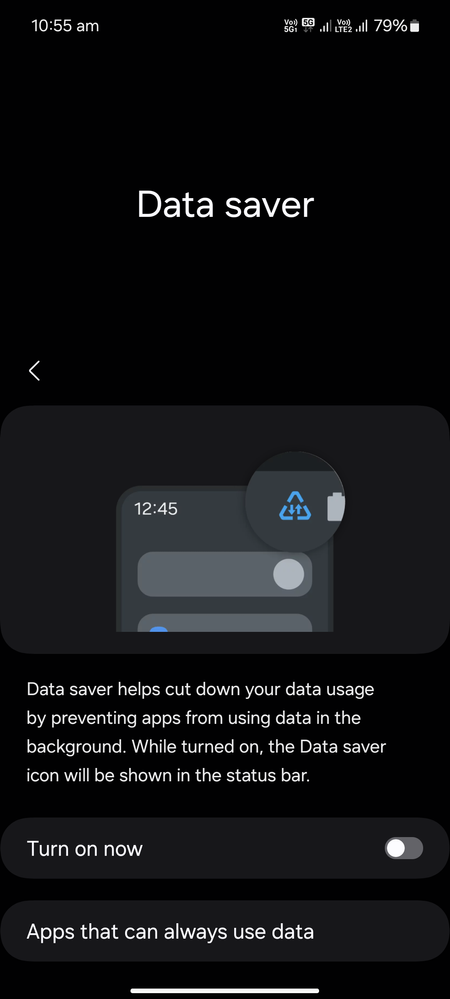
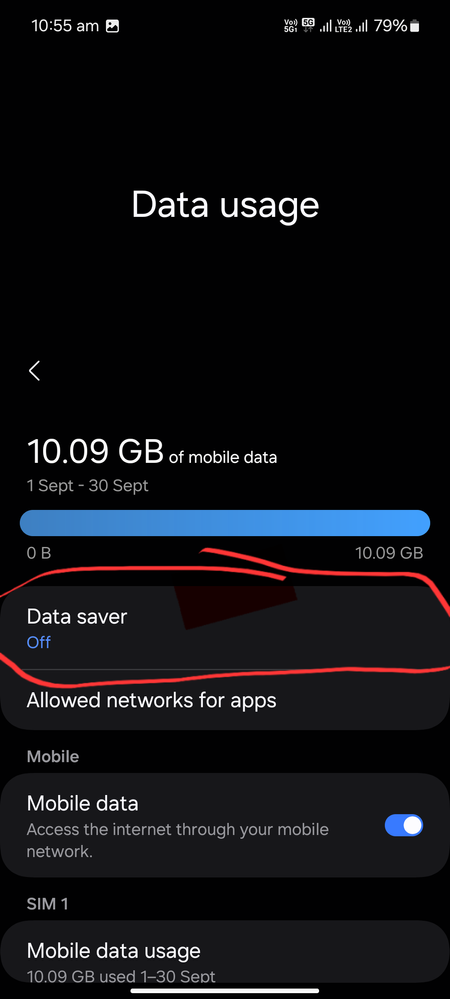
Yes I Know There is an Ultra Data Saver Mode Toggle present in Quick Settings Menu But that One Requires Samsung Max(another Samsung Bloatware) to work Properly
Screenshots of the Setting I am Referring to Are Attached Below
This one is Android's Own Native Data Saver Mode
It used to be Present in My Previous Motorola Phone with Android 10 but ever Since i Switched to Samsung There is no such Option Each Time
I Have to Navigate to Settings App
Ma_Fu
Active Level 1
03-18-2025 11:58 AM
in
bump
0 likes
Anonymous User
Beginner Level 1
01-30-2026 12:29 PM
in
0 likes
peteg
Beginner Level 3
06-23-2026 06:53 PM
in
For those finding this, you CAN add a Data Saver Toggle by creating a Routine (Settings -> Modes and Routines) with the simple routine that does an Other Action of Data Saver On (even though it says On, it will toggle on/off in use).
Then, you can add the Routine to the Quick Settings menu (see pic), and use it to flip it on/off, as needed. I really like to use it generally, to limit data/battery draw from busy background apps, but have it easily accessible to turn Tethering/Hotspot on.
0 likes