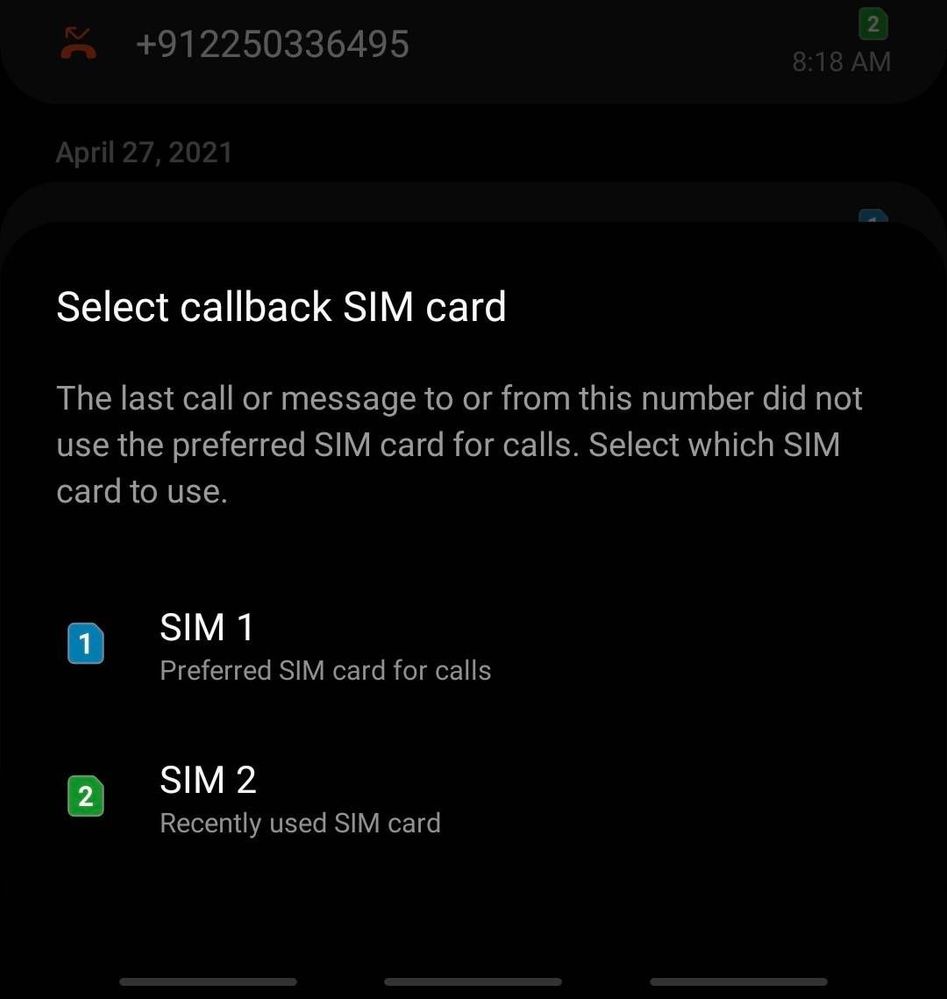
I am using S10+ and after one UI upgrade I am having to choose call back sim card even though I have set a default sim card for call. Please check the screenshot. Any idea how to disable this
We would request you to register your concern in Samsung Members Application. So, that our concern team gets back to you as soon as possible.
Please follow this path to register your concern in Samsung Members Application (Open Samsung Members Application > Get help > Send Feedback > Error report/Ask questions).
Note. please attach the error log file within 15 minutes of the error occurred.

Sidhabhi
★★
6 years ago
in
0 likes
Amit150791
Active Level 3
6 years ago
in
0 likes
Ravi0883
Expert Level 5
6 years ago
in
0 likes
Amit150791
Active Level 3
6 years ago
in
0 likes
Amit150791
Active Level 3
6 years ago
in
0 likes
Ravi0883
Expert Level 5
6 years ago
in
0 likes
Amit150791
Active Level 3
6 years ago
in
0 likes
Ravi0883
Expert Level 5
6 years ago
in
0 likes
Samsung_Support1
Moderator
6 years ago
in
Dear Samsung Member,
Greetings from Samsung Customer Support!
We would request you to register your concern in Samsung Members Application. So, that our concern team gets back to you as soon as possible.
Please follow this path to register your concern in Samsung Members Application (Open Samsung Members Application > Get help > Send Feedback > Error report/Ask questions).
Note. please attach the error log file within 15 minutes of the error occurred.
Thank you for writing to Samsung.
Warm Regards,
Samsung Customer Support
0 likes