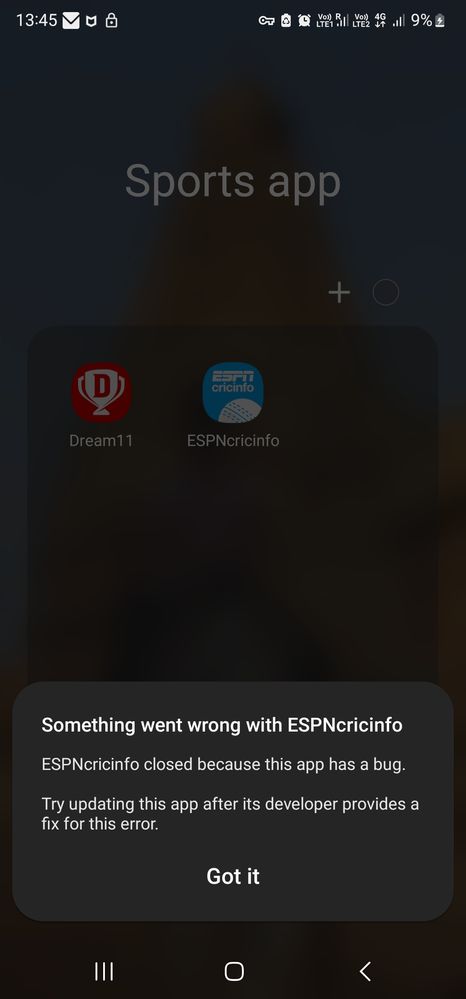
For app crashing issue try this Its occurring due to problem in "android system webview" app. uninstall the update of the app and install again. It should be solved. settings >apps >android system webview >storage > unistall updates(click on three dots on top right corner) n install it again
Yes i re install android webview, restart the phone and install again the android web view from play store. Got this information from Samsung eu community.
We acknowledge your query and apologize for the inconvenience caused to you and will surely assist you regarding the same and please follow the easy troubleshooting steps which might help to solve the issue.
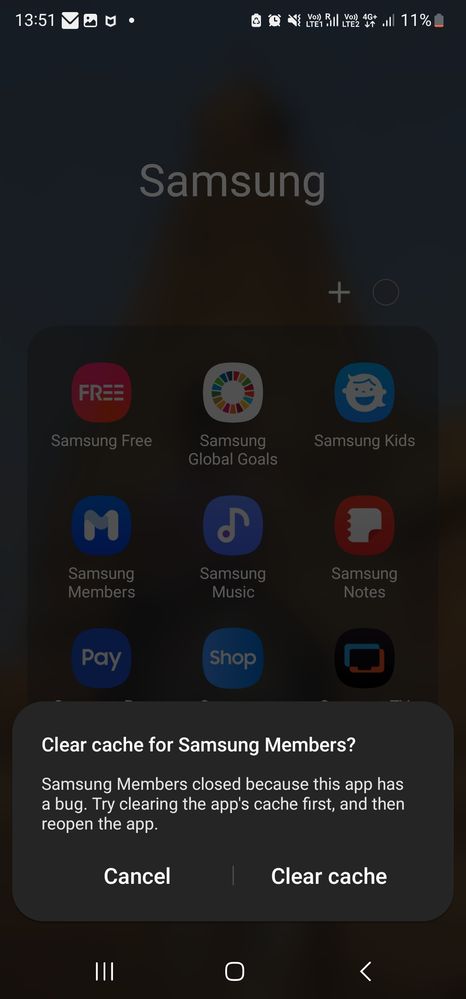
Clearing the app cache is kind of like a cleanse for your apps. It will get rid of residual files that could be slowing down the app. Open Settings, and then swipe to and tap Apps. Select or search for the app you want to clear. Tap Storage, and then tap Clear cache.
Step 1. Go to Settings > Apps. Step 2. Tap on More options (three vertical dots) on upper-right corner > Sort by > Size. To delete: Step 1. Go to Settings > Apps. Step 2. Select an issued app. Step 3. Tap Uninstall to free up storage space.
Improper App installation may also cause Android Apps crashing problem. You must download the App from the Google Play Store/ Galaxy store and use it only after it is successfully and completely installed on your device. In case your Apps stop abruptly, delete or uninstall the App from your device and install it back carefully after a few minutes.
Step 1. To uninstall apps on an Android device, go to Settings > Apps. Step 2. Select an issued app > tap on Uninstall. Step 3. Go to Google Play Store and reinstall the App again.
If your issue will be not resolved, Please follow this path to register your concern in Samsung Members Application (Open Samsung Members Application > Get help > Send Feedback > Error report). Note. please attach the error log file within 15 minutes of the error occurring.
Thank you for writing to Samsung. Warm regard, Samsung customer support
For app crashing issue try this Its occurring due to problem in "android system webview" app. If u r a beta tester of the app leave the beta, if not then uninstall the update to the app and install again. It should be solved settings >apps >android system webview >storage > unistall updates(click on three dots on top right corner) n install it again
We acknowledge your query and apologize for the inconvenience caused to you and will surely assist you regarding the same and please follow the easy troubleshooting steps which might help to solve the issue.
Clearing the app cache is kind of like a cleanse for your apps. It will get rid of residual files that could be slowing down the app. Open Settings, and then swipe to and tap Apps. Select or search for the app you want to clear. Tap Storage, and then tap Clear cache.
Step 1. Go to Settings > Apps. Step 2. Tap on More options (three vertical dots) on upper-right corner > Sort by > Size. To delete: Step 1. Go to Settings > Apps. Step 2. Select an issued app. Step 3. Tap Uninstall to free up storage space.
Improper App installation may also cause Android Apps crashing problem. You must download the App from the Google Play Store/ Galaxy store and use it only after it is successfully and completely installed on your device. In case your Apps stop abruptly, delete or uninstall the App from your device and install it back carefully after a few minutes.
Step 1. To uninstall apps on an Android device, go to Settings > Apps. Step 2. Select an issued app > tap on Uninstall. Step 3. Go to Google Play Store and reinstall the App again.
If your issue will be not resolved, Please follow this path to register your concern in Samsung Members Application (Open Samsung Members Application > Get help > Send Feedback > Error report). Note. please attach the error log file within 15 minutes of the error occurring.
Thank you for writing to Samsung. Warm regard, Samsung customer support

Sáyân15
Expert Level 5
11-14-2022 08:48 AM
in
YBV
Active Level 5
11-14-2022 09:32 AM
in
YBV
Active Level 5
11-14-2022 05:11 PM
in
Kunal2
Expert Level 1
11-18-2022 07:18 PM
in
Its occurring due to problem in "android system webview" app. uninstall the update of the app and install again. It should be solved.
settings >apps >android system webview >storage > unistall updates(click on three dots on top right corner) n install it again
Kaizaadbanaji2608
Active Level 10
11-14-2022 05:29 PM
in
YBV
Active Level 5
11-15-2022 05:23 AM
in
0 likes
Aminji
Beginner Level 4
11-17-2022 09:40 AM
in
cs_member8
Moderator
11-18-2022 10:38 AM
in
Dear Samsung member,
Greetings from Samsung customer support.
We acknowledge your query and apologize for the inconvenience caused to you and will surely assist you regarding the same and please follow the easy troubleshooting steps which might help to solve the issue.
Clearing the app cache is kind of like a cleanse for your apps. It will get rid of residual files that could be slowing down the app.
Open Settings, and then swipe to and tap Apps. Select or search for the app you want to clear. Tap Storage, and then tap Clear cache.
Step 1. Go to Settings > Apps.
Step 2. Tap on More options (three vertical dots) on upper-right corner > Sort by > Size.
To delete:
Step 1. Go to Settings > Apps.
Step 2. Select an issued app.
Step 3. Tap Uninstall to free up storage space.
Improper App installation may also cause Android Apps crashing problem. You must download the App from the Google Play Store/ Galaxy store and use it only after it is successfully and completely installed on your device. In case your Apps stop abruptly, delete or uninstall the App from your device and install it back carefully after a few minutes.
Step 1. To uninstall apps on an Android device, go to Settings > Apps.
Step 2. Select an issued app > tap on Uninstall.
Step 3. Go to Google Play Store and reinstall the App again.
If your issue will be not resolved, Please follow this path to register your concern in Samsung Members Application (Open Samsung Members Application > Get help > Send Feedback > Error report).
Note. please attach the error log file within 15 minutes of the error occurring.
Thank you for writing to Samsung.
Warm regard,
Samsung customer support
0 likes
Kunal2
Expert Level 1
11-18-2022 07:17 PM
in
Its occurring due to problem in "android system webview" app. If u r a beta tester of the app leave the beta, if not then uninstall the update to the app and install again. It should be solved
settings >apps >android system webview >storage > unistall updates(click on three dots on top right corner) n install it again
cs_member8
Moderator
11-19-2022 11:29 AM
in
Dear Samsung member,
Greetings from Samsung customer support.
We acknowledge your query and apologize for the inconvenience caused to you and will surely assist you regarding the same and please follow the easy troubleshooting steps which might help to solve the issue.
Clearing the app cache is kind of like a cleanse for your apps. It will get rid of residual files that could be slowing down the app.
Open Settings, and then swipe to and tap Apps. Select or search for the app you want to clear. Tap Storage, and then tap Clear cache.
Step 1. Go to Settings > Apps.
Step 2. Tap on More options (three vertical dots) on upper-right corner > Sort by > Size.
To delete:
Step 1. Go to Settings > Apps.
Step 2. Select an issued app.
Step 3. Tap Uninstall to free up storage space.
Improper App installation may also cause Android Apps crashing problem. You must download the App from the Google Play Store/ Galaxy store and use it only after it is successfully and completely installed on your device. In case your Apps stop abruptly, delete or uninstall the App from your device and install it back carefully after a few minutes.
Step 1. To uninstall apps on an Android device, go to Settings > Apps.
Step 2. Select an issued app > tap on Uninstall.
Step 3. Go to Google Play Store and reinstall the App again.
If your issue will be not resolved, Please follow this path to register your concern in Samsung Members Application (Open Samsung Members Application > Get help > Send Feedback > Error report).
Note. please attach the error log file within 15 minutes of the error occurring.
Thank you for writing to Samsung.
Warm regard,
Samsung customer support
0 likes