All community
Sign In/Register
/
S Pen Connection Error
(Post creation time:
08-5-2023 06:50 PM
)
1059 Views
Nitin955
Active Level 2
last edited
in
3 likes
14 Comments
Vinay_KM
Active Level 6
08-5-2023 07:22 PM
0 likes
08-6-2023 08:15 AM
sarnandu
Expert Level 1
08-6-2023 08:31 AM
Load 7 older replies
08-6-2023 08:53 AM
08-6-2023 08:57 AM
cs_member8
Moderator
08-7-2023 02:24 PM
Dear Samsung Member,
Greetings from Samsung Customer Support!
We acknowledge your query. Please visit this mentioned link to resolve your device S Pen connection issue: https://www.samsung.com/in/support/mobile-devices/how-to-solve-s-pen-connection-issues/#:~:text=Restarting%20a%20device%20may%20fix,good%20condition%20and%20Samsung%20approved.
In case the issue still occurs. Please visit the service center for a physical inspection of your device. You can locate your nearest service center with this given link: https://www.samsung.com/in/support/service-center/
Thank you for writing to Samsung.
Warm Regards,Samsung Customer Support
Connection error
. Galaxy Note 10-19-2021 11:54 AM
Plz fixd my s pen connection error in my note 10
. Galaxy Note 02-11-2023 05:58 AM
S pen error
. Galaxy Note 11-7-2021 04:06 PM
S pen connection problem
. Tablets 10-9-2021 07:33 PM
. Galaxy Note 01-26-2023 07:33 PM

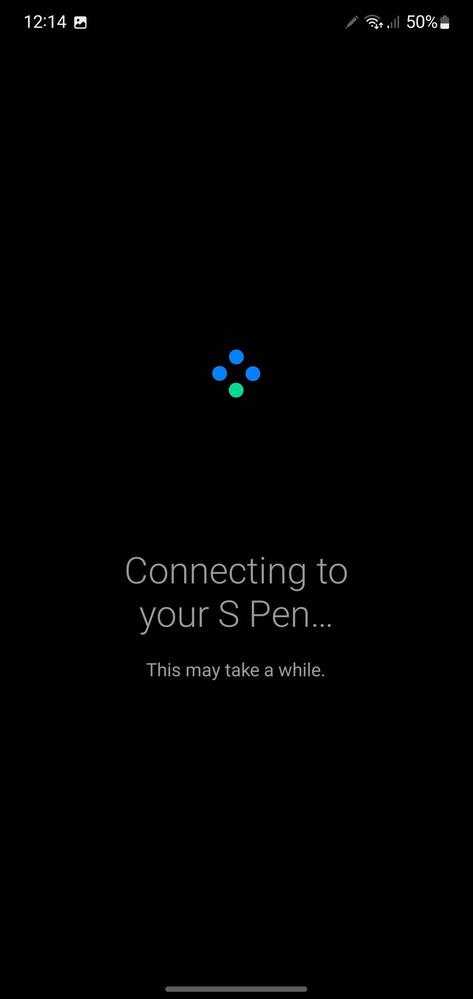
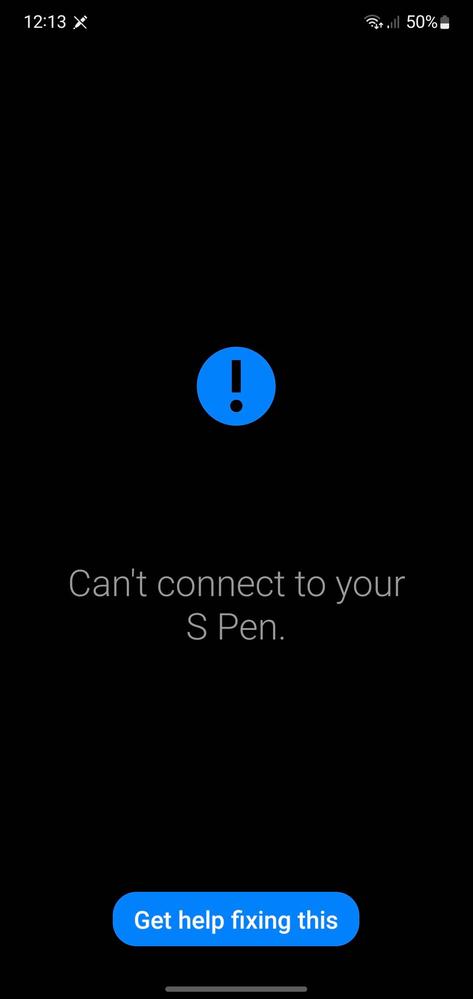
Vinay_KM
Active Level 6
08-5-2023 07:22 PM
in
Step1: Navigate to the Apps screen and tap on Settings.
Step2: Tap on Advanced features.
Step3: Tap on S Pen.
Step4: Tap on Air actions.
Step5: Tap on More.
Step6: Tap on Reset S Pen.
0 likes
Nitin955
Active Level 2
08-6-2023 08:15 AM
in
0 likes
sarnandu
Expert Level 1
08-6-2023 08:31 AM
in
0 likes
Nitin955
Active Level 2
08-6-2023 08:53 AM
in
0 likes
Nitin955
Active Level 2
08-6-2023 08:53 AM
in
0 likes
sarnandu
Expert Level 1
08-6-2023 08:57 AM
in
0 likes
cs_member8
Moderator
08-7-2023 02:24 PM
in
Dear Samsung Member,
Greetings from Samsung Customer Support!
We acknowledge your query. Please visit this mentioned link to resolve your device S Pen connection issue: https://www.samsung.com/in/support/mobile-devices/how-to-solve-s-pen-connection-issues/#:~:text=Restarting%20a%20device%20may%20fix,good%20condition%20and%20Samsung%20approved.
In case the issue still occurs. Please visit the service center for a physical inspection of your device. You can locate your nearest service center with this given link: https://www.samsung.com/in/support/service-center/
Thank you for writing to Samsung.
Warm Regards,
Samsung Customer Support
0 likes