
I have NOTE 10 PLUS but not receive UI 2.1 Software update in INDIA. Can you tell me any one receive update NOTE 10 PLUS model. And also my mobile last update December 2019.
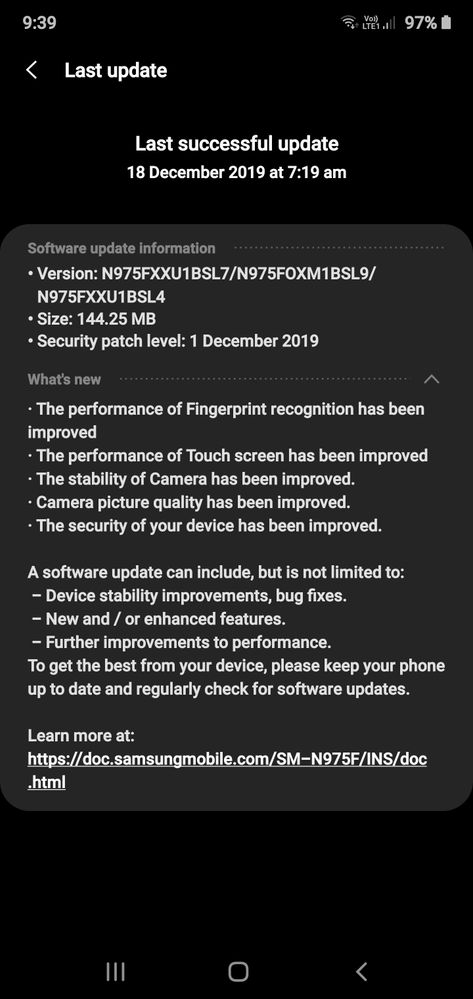
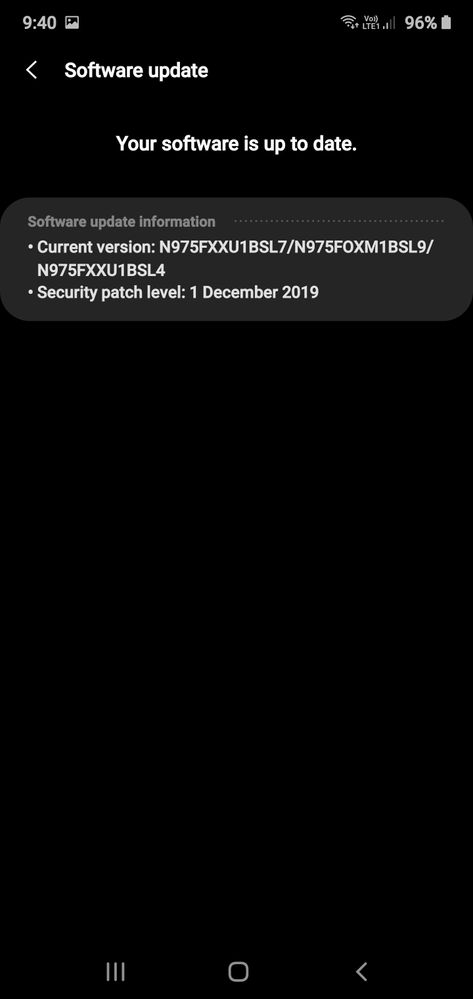
Till date not receive any update on my mobile.
Anonymous User
Beginner Level 1
06-18-2020 04:20 PM
in
use the smart switch to update it
0 likes
Sujal
Active Level 3
06-18-2020 04:27 PM
in
0 likes
Anonymous User
Beginner Level 1
06-19-2020 05:34 AM
in
0 likes
anandverma
Active Level 5
06-18-2020 04:25 PM
in
0 likes
Sujal
Active Level 3
06-18-2020 04:29 PM
in
0 likes
anandverma
Active Level 5
06-18-2020 04:33 PM
in
0 likes
Sujal
Active Level 3
06-18-2020 04:53 PM
in
0 likes
anandverma
Active Level 5
06-18-2020 04:56 PM
in
0 likes
Sujal
Active Level 3
06-18-2020 06:54 PM
in
0 likes
sameergupta
Active Level 6
06-18-2020 05:21 PM
in
0 likes
anandverma
Active Level 5
06-19-2020 02:31 AM
in
0 likes
sameergupta
Active Level 6
06-19-2020 02:37 AM
in
0 likes
anandverma
Active Level 5
06-19-2020 02:33 AM
in
Extract the firmware file you just downloaded. You should get 5 files:
AP (System &Recovery)
BL (Bootloader)
CP (Modem / Radio)
CSC_*** (Country / Region / Operator)
HOME_CSC_*** (Country / Region / Operator)
Add each file to its respective field in Odin v3.14.4. Use CSC_*** if you want to do a clean flash or HOME_CSC_*** if you want to keep your apps and data.Reboot your phone inDownload / Odin mode (make sure your device is off) with the following button combo: POWER + VOLUME DOWN + BIXBY
Other options in case first option did not work or isn't possible.
Option 2 VOLUME DOWN + VOLUME UP then USB cable
Option 3 POWER + VOLUME DOWN + VOLUME UP
Option 4 POWER + VOLUME DOWN + HOME BUTTON
Option 5 (Note9) USB cable + VOLUME DOWN + BIXBY
Option 6 (Note10) POWER + VOLUME UP
Once in download mode, connect your phone to the PC, preferably using the original USB cable you got with your phone. Odin should detect your device and a BLUE box will show up with the COM port number. (Be sure, the SAMSUNG-drivers are installed on your PC!)Do NOT tick any extra boxes. The only options to be ticked are F.Reset Time and Auto-Reboot.Click the start button, wait for Odin to say 'PASS' in a GREEN box. Once the flash is complete, your phone will reboot, and you can disconnect your phone from the PC.
download links:
This is the link for Indian CSC INS high speed downloadable ROM. https://drive.google.com/file/d/1uL_...ew?usp=sharing
odin link: https://dl2018.sammobile.com/Odin3-v3.14.4.zip
0 likes
Sujal
Active Level 3
06-19-2020 04:12 AM
in
0 likes
Sujal
Active Level 3
06-19-2020 06:31 AM
in
0 likes