1) first open galaxy store>settings >disable marketing choice/Get News and Special Offers
2) set "never" to auto update app
3) go to customisation service >disable galaxy store from there
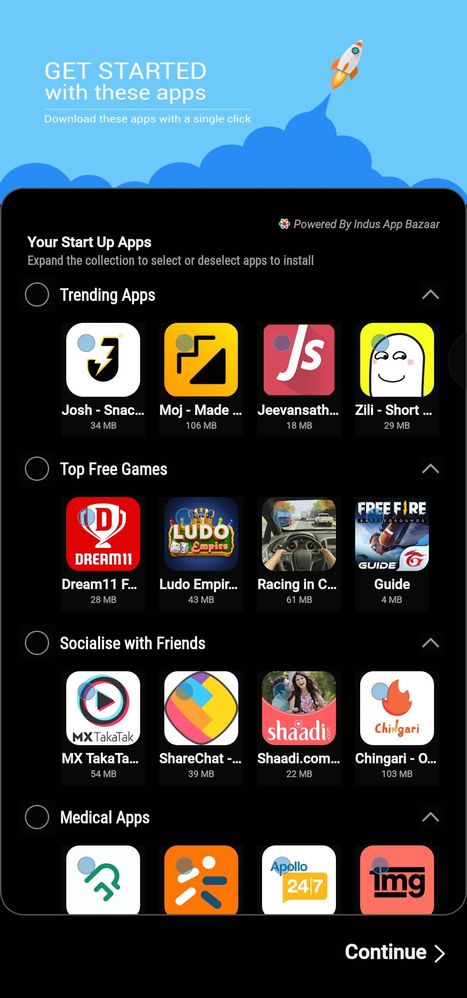
and whenever you update galaxy store or reset your device, and after that if you open Galaxy store you will get the option as i attached image, so untick all in recommendation and untick for marketing choice

Strangeneria
Expert Level 5
6 years ago
in
Abpal
Active Level 10
6 years ago
in
0 likes
Ehsank
Expert Level 5
6 years ago
in
1) first open galaxy store>settings >disable marketing choice/Get News and Special Offers
2) set "never" to auto update app
3) go to customisation service >disable galaxy store from there
and whenever you update galaxy store or reset your device, and after that if you open Galaxy store you will get the option as i attached image, so untick all in recommendation and untick for marketing choice
Ehsank
Expert Level 5
6 years ago
in
0 likes
Strangeneria
Expert Level 5
6 years ago
in
Ehsank
Expert Level 5
6 years ago
in