Go to : Settings > Apps > Options (the three dots on top right) > reset app preferences
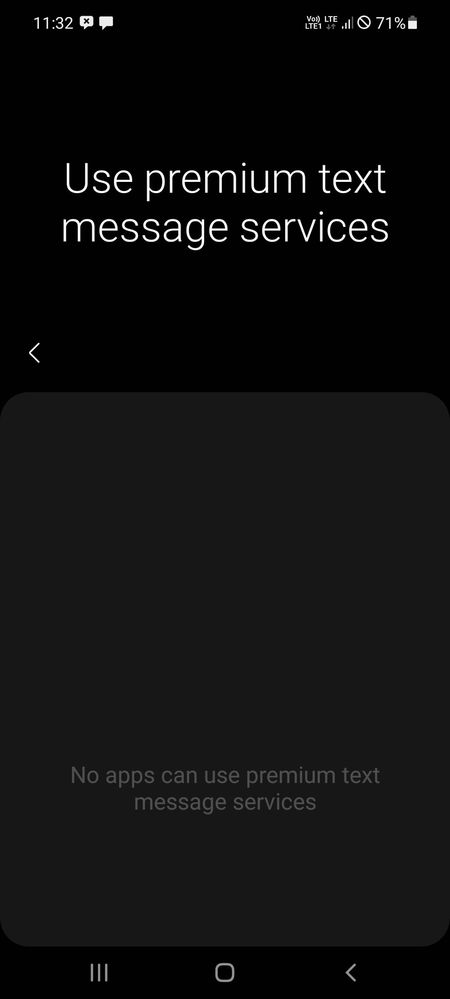
Now try sending a premium SMS, and the phone will give a pop up saying "this would incur charges" or something like that. Check "remember choice" and then select "Always Allow". Now the "premium sms" option should list the messaging app.
For using 3rd party messaging apps like google messages or Microsoft SMS organizer, you'll have to individually use them to send premium sms, after resetting the app preferences.

Anonymous User
Beginner Level 1
5 years ago
in
0 likes
Satyen8910
Active Level 1
5 years ago
in
0 likes
WillFerrell
Beginner Level 2
5 years ago
in
I had the same problem 😣
0 likes
Zanchelle
Active Level 1
4 years ago
in
Settings > Apps > Options (the three dots on top right) > reset app preferences
Now try sending a premium SMS, and the phone will give a pop up saying "this would incur charges" or something like that. Check "remember choice" and then select "Always Allow". Now the "premium sms" option should list the messaging app.
For using 3rd party messaging apps like google messages or Microsoft SMS organizer, you'll have to individually use them to send premium sms, after resetting the app preferences.
0 likes