
After clicking photos from the Samsung Camera app, the image shows processing and turns black. This doesn't happen for every photo but happens often. Issue is pictures clicked from rear camera as well as front. So guess this is mostly the issue with the processing.

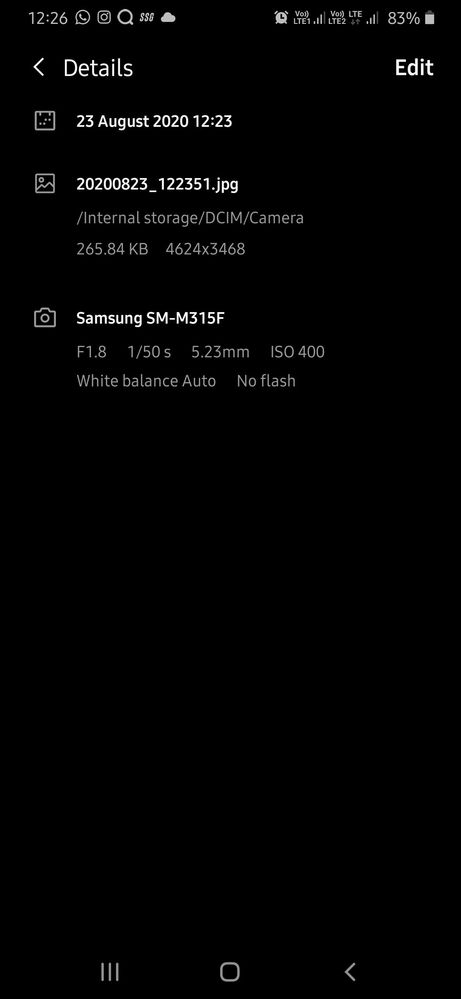
Does anyone know any fixes or is Samsung working on fixing this bug?
Anonymous User
Beginner Level 1
6 years ago
in
Sanjivnayak
Active Level 6
6 years ago
in
Anonymous User
Beginner Level 1
6 years ago
in
may be m31 already got beta update you done update or not still faced this problem after updating
0 likes
Sanjivnayak
Active Level 6
6 years ago
in
0 likes
SgA4sure
Active Level 1
6 years ago
in
cs-member13
Expert Level 4
6 years ago
in
Dear Samsung Member,
Greetings from Samsung Customer Support!
Please be assured and perform following methods to resolve the Camera issue:-
1. Please clear data or cache of Camera Application(Tap Settings > Apps > Camera > Storage > Clear Cache/data).
2. Reset the Device:- Kindly create data backup of your device via SMART switch mobile application or http://www.samsung.com/in/support/smartswitch pc suite
How to reset:- Settings>General Management>Reset.
If the issue still persist, kindly register your concern in Samsung Members app (Samsung Members app > Get help > Feedback > Error report/ask question).
Note: Please send device log files within 15 minutes of issue occurrence along with the exact issue details.
Thank you for writing to Samsung.
Warm Regards,
Samsung Customer Support
0 likes
sukhanand
Beginner Level 2
6 years ago
in
0 likes
VinitaPotdar
Beginner Level 2
6 years ago
in
Restarting mobile worked for me
0 likes
gaur6
Beginner Level 2
6 years ago
in
0 likes
Mukundpoddar64
Beginner Level 2
6 years ago
in
0 likes
Sanjivnayak
Active Level 6
6 years ago
in
Hi. I am also facing this issue. In video mode with flash light 'ON' position also in still camera mode with flash 'ON' in low light condition the picture is dark bluish. The steps as suggested by Samsung customer support is not working. And the issue still persists. Faulty camera by Samsung.
0 likes
kajalpravin
Active Level 1
6 years ago
in
0 likes
RupshaGhosh
Beginner Level 2
6 years ago
in
0 likes
aparnarao
Beginner Level 2
6 years ago
in
0 likes
aparnarao
Beginner Level 2
6 years ago
in
0 likes
aparnarao
Beginner Level 2
6 years ago
in
0 likes