
First it started with only few restart but then turn into frequent restarts.
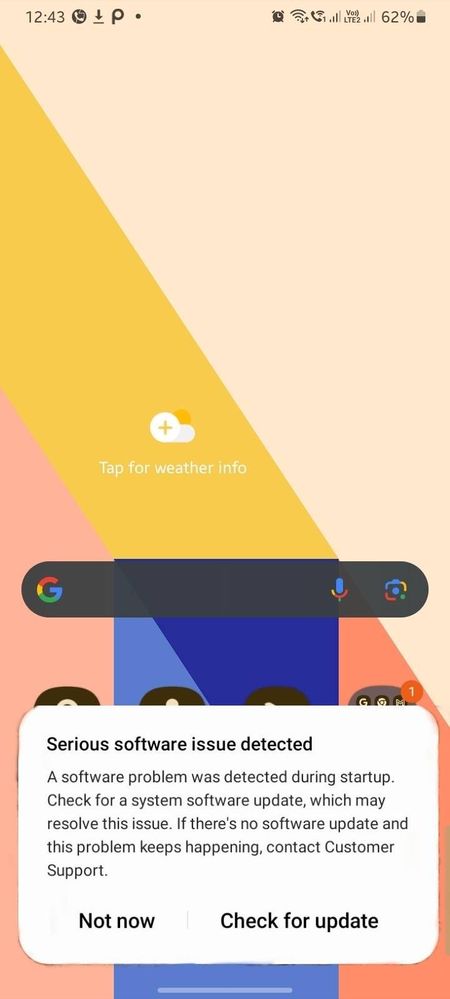
Restart Loop issue
After Hard Reset and Clearing Partition problem somewhat as frequency of restart slow down resolved but issue still persist.
And shoes the error.
Serious Software Issue
Wodehouse
Expert Level 5
2 years ago
in
If this reply answered your query please tap 3 vertical dots to the right of my reply and tap "Resolved". Thank you 😊
0 likes
goodthings
Expert Level 5
2 years ago
in
0 likes
goodthings
Expert Level 5
2 years ago
in
0 likes
cs_member8
Moderator
2 years ago
in
Dear Samsung Member,
Greetings from Samsung Customer Support!
At Samsung, we always aim to provide impeccable services to our customers, and we highly regret that you feel this way.
Please follow these easy troubleshooting steps which may help in resolving this issue.
● Kindly use a genuine Samsung charger.
● We always recommend using a genuine Samsung charger for charging your device.
● There are two methods to disable the auto restart function.
1- Tap on Settings> General management>Reset > Disable Auto restart (if enabled)> Auto restart disabled.
2- Tap on Settings> Battery and device care> Three dots> Automation> Auto restart at set times if enabled.
● If you are facing this issue after installing any new application then uninstall that application.
Tap on Settings> Apps > desired app> Uninstall> Ok.
● Update device software (If available): Settings > Software update > Download and install > Checking for software update > Software update available > Download > Downloading updates > Install now.
In case the issue still occurs, please visit the service center for a physical inspection of your device. You can locate your nearest service center with this given link: https://www.samsung.com/in/support/service-center/
Warm Regards,
Samsung Customer Support
0 likes
51084663433291lm0890
Active Level 8
1 year ago
in
0 likes