All community
Sign In/Register
/
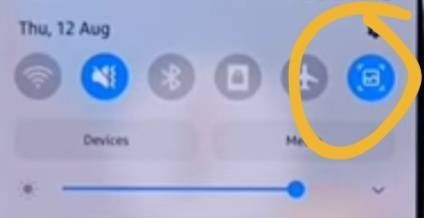
Capture Screen
(Post creation time:
5 years ago
)
867 Views
Bhagavathi
Active Level 5
last edited
in
3 likes
12 Comments
VedantKalore
★
2 likes
Load 5 older replies
0 likes
Anonymous User
Beginner Level 1
Do you have Control Centre by Edge Pro Team? That edge panel has a screenshot button.
RαʝҽʂԋKυɱαɾ21
Expert Level 5
Anikroyale
1 like
I have enabled it myself. You can see the ES Techno video or go to this link.
https://www.thegoandroid.com/how-to-add-screenshot-toggle-in-quick-settings-on-samsung-experience-8-1-and-above/93143/
screen capture
. Galaxy S 10 years ago
. Galaxy A 7 years ago
. Galaxy Note 10 years ago
Screen capture
. Galaxy A 6 years ago
Screen capture update
. Galaxy M 6 years ago

VedantKalore
★
5 years ago
in
VedantKalore
★
5 years ago
in
0 likes
VedantKalore
★
5 years ago
in
0 likes
Anonymous User
Beginner Level 1
5 years ago
in
Do you have Control Centre by Edge Pro Team? That edge panel has a screenshot button.
0 likes
RαʝҽʂԋKυɱαɾ21
Expert Level 5
5 years ago
in
0 likes
Anikroyale
Expert Level 5
5 years ago
in
Anonymous User
Beginner Level 1
5 years ago
in
I have enabled it myself. You can see the ES Techno video or go to this link.
https://www.thegoandroid.com/how-to-add-screenshot-toggle-in-quick-settings-on-samsung-experience-8-1-and-above/93143/