Looks like you have tried all the basic things like restarting the device and reseting it clearing the app cache and many more things to work upon.. So the last thing that you can do to make sure that your camera starts working again is GOTO THE SERVICE CENTER
For further assistance, register your concern in Samsung Members Application (Open Samsung Members Application > Get help > Send Feedback > Error report/Ask questions).

Sidhabhi
★★
6 years ago
in
Also one other apps..
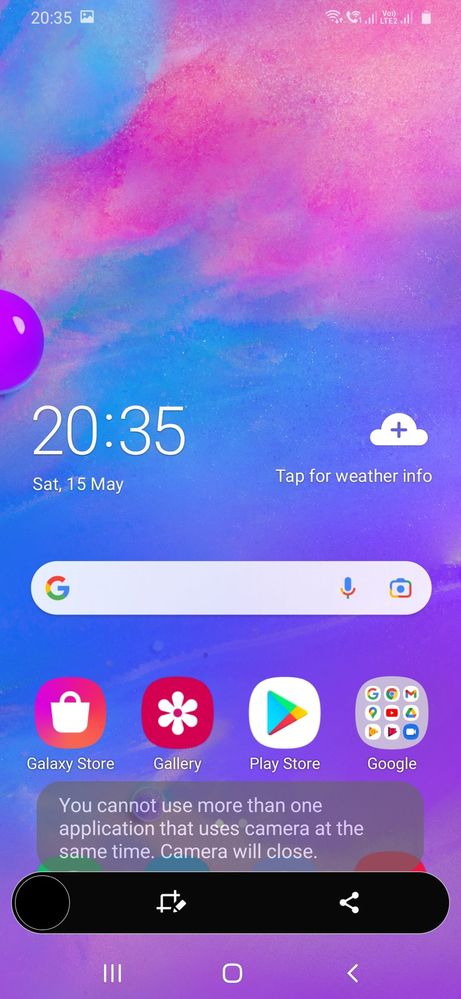
Most probably you are using extra app with camera permissions(like video call or something)
0 likes
sfxut03
Active Level 10
6 years ago
in
0 likes
SWATANTRAKUMARTRIP
Active Level 2
6 years ago
in
0 likes
sfxut03
Active Level 10
6 years ago
in
0 likes
MohamedKhalid
Active Level 2
6 years ago
in
0 likes
SWATANTRAKUMARTRIP
Active Level 2
6 years ago
in
0 likes
SWATANTRAKUMARTRIP
Active Level 2
6 years ago
in
0 likes
SWATANTRAKUMARTRIP
Active Level 2
6 years ago
in
0 likes
Anonymous User
Beginner Level 1
6 years ago
in
So the last thing that you can do to make sure that your camera starts working again is GOTO THE SERVICE CENTER
0 likes
SWATANTRAKUMARTRIP
Active Level 2
6 years ago
in
0 likes
cs-member13
Expert Level 4
6 years ago
in
Dear Samsung Member,
Greetings from Samsung Customer Support!
Please perform the below mentioned steps to resolve the issue:
* Clear camera application data.
Settings >Apps >Camera >Storage >Clear Data.
For further assistance, register your concern in Samsung Members Application (Open Samsung Members Application > Get help > Send Feedback > Error report/Ask questions).
Thank you for writing to Samsung.
Warm Regards,
Samsung Customer Support
0 likes