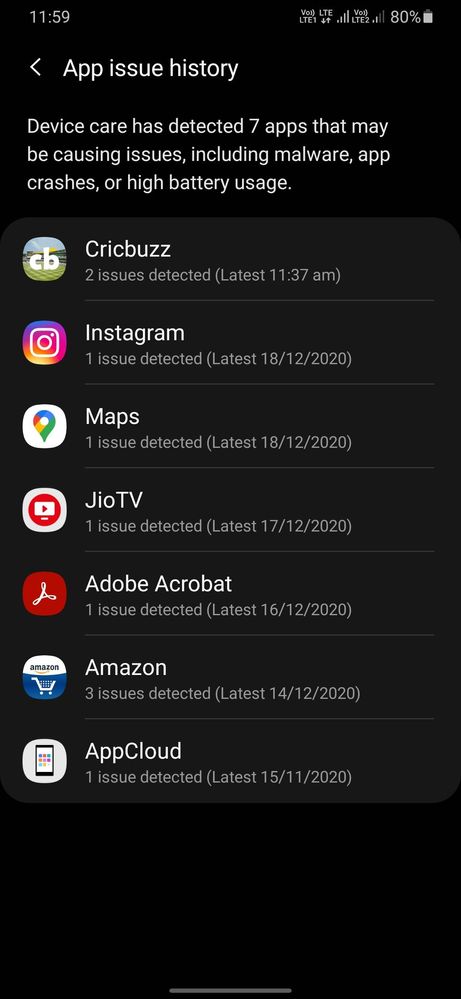
You may need to try clearing the app cache and data within your settings to resolve "app crash" issue:
>>Launch your settings>apps>crashing app>storage>touch clear cache &clear data.
If the issue still persist, kindly register your concern in Samsung Members app (Samsung Members app > Get help > Feedback > Error report/ask question)along with screenshots, short videos and error log file, so that we can assist you accordingly.
Note: Please send device log files within 15 minutes of issue occurrence along with the exact issue details.

DarshanChatterjee
Expert Level 5
12-19-2020 07:17 AM
in
IndianMinion
Active Level 10
12-19-2020 08:02 AM
in
cs-member13
Expert Level 4
12-21-2020 02:51 PM
in
Dear Samsung Member,
Greetings from Samsung Customer Support!
You may need to try clearing the app cache and data within your settings to resolve "app crash" issue:
>>Launch your settings>apps>crashing app>storage>touch clear cache &clear data.
If the issue still persist, kindly register your concern in Samsung Members app (Samsung Members app > Get help > Feedback > Error report/ask question)along with screenshots, short videos and error log file, so that we can assist you accordingly.
Note: Please send device log files within 15 minutes of issue occurrence along with the exact issue details.
Thank you for Writing to Samsung.
Warm Regards,
Samsung Customer Support
0 likes