
I used to access maily 2 apps in my mobile nowadays which are YouTube and Call of Duty:Mobile. As both these apps are getting crashed always. Whenever I open YouTube, it crashes & when I am playing Battle Royale in CODM it crashes at the mid because of which my Rank in that game is getting down which sometimes make me very irritated and then... .
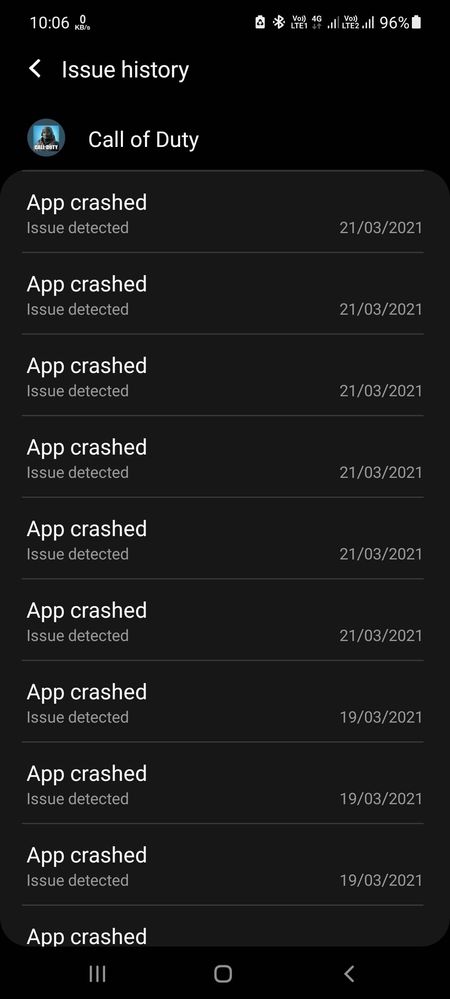
I had done whatever I was taught by the Costumer Care Members. I uninstalled all the updates of 'Android System WebView' but app started crashing again then I updated it again and then again it starts crashing. Even I tried to go to Safe Mode and followed whatever they said me but that was a very stupid suggestion which only took my time in arranging 93 apps just on 34 icons (2pages) and got no results. (Tried every way)
Facing this issue from a long time but now it's getting too much and @Samsung how long would you like to have it's already 2-3months. Is your technical team this much week that they can not fix this bug?
Really Disappointing
Need this to be fixed within few weeks.
chimichanga
Active Level 8
04-22-2021 07:15 AM
in
0 likes
chimichanga
Active Level 8
04-22-2021 02:19 PM
in
0 likes
chimichanga
Active Level 8
04-22-2021 02:25 PM
in
0 likes
chimichanga
Active Level 8
04-22-2021 02:26 PM
in
0 likes
chimichanga
Active Level 8
04-22-2021 02:26 PM
in
0 likes
chimichanga
Active Level 8
04-22-2021 02:27 PM
in
0 likes
chimichanga
Active Level 8
04-22-2021 02:27 PM
in
0 likes
Samsung_Support1
Moderator
04-24-2021 06:07 AM
in
Dear Samsung Member,
Greetings from Samsung Customer Support!
Please perform the below mentioned steps to resolve the issue:
* Check app cache: Clear cache memory of a particular application: Setting >Apps >Now pick the app. For example 'Samsung Internet' >Storage >Clear Cache.
For further assistance, register your concern in Samsung Members Application (Open Samsung Members Application > Get help > Send Feedback > Error report/Ask questions).
Thank you for writing to Samsung.
Warm Regards,
Samsung Customer Support
0 likes
HOTSHOT181
Beginner Level 2
04-26-2021 11:05 AM
in
Apps using internet crashing and phone going into Restart loop. Mostly with heavy usage like COD mobile. Storage is only 60% used, RAM also 50% used. Did Webview Uninstall & Update, Cache partition clearance, App repair in recovery mode. None of them help. Please help if anything excpet factory reset will solve the problem
0 likes