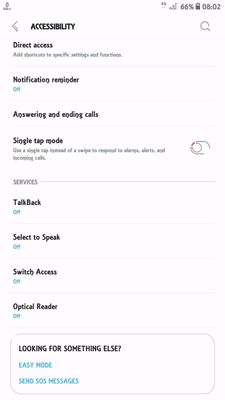
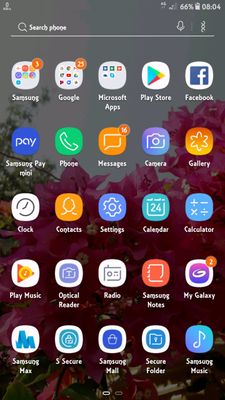
Thanks for reaching out to the Samsung community! We would like to inform you that optical reader service will be enabled in accessibility when you download "Optical Reader App" from galaxy apps. Using the device’s camera, you can scan documents, extract text from documents, look up words in the dictionary, scan QR codes, and enjoy many other useful features.
Below are the key features: Document Scanning: Take multiple pictures, edit them by reordering or cropping unneeded parts of the picture, and combine them into a single file such as a PDF. QR Code Scanning: By placing a QR code inside the guidelines on your device’s screen, you can access relevant information or links automatically. Text Recognition: Optical Reader automatically recognizes text in pictures you have taken, and converts it into editable text.
Be sure to hit ♡ when you find an answer that works for you. For Further assistance, you can get in touch with us via Live Chat option by following- http://livechat.support.samsung.com/Customer_new/IN. You can also connect us via Samsung Members web community by following mentioned url-https://community.samsungmembers.com/en_IN#/

Sam23plus
Active Level 6
9 years ago
in
0 likes
PlayerOne
Active Level 6
9 years ago
in
0 likes
Mubark
Active Level 6
9 years ago
in
0 likes
PlayerOne
Active Level 6
9 years ago
in
0 likes
Mubark
Active Level 6
9 years ago
in
0 likes
PlayerOne
Active Level 6
9 years ago
in
modded by envy😃
0 likes
Sam23plus
Active Level 6
9 years ago
in
0 likes
Sam23plus
Active Level 6
9 years ago
in
0 likes
PlayerOne
Active Level 6
9 years ago
in
0 likes
Sam23plus
Active Level 6
9 years ago
in
0 likes
PlayerOne
Active Level 6
9 years ago
in
0 likes
AdityaKarti
Active Level 4
9 years ago
in
0 likes
admin_
Expert Level 5
9 years ago
in
Below are the key features:
Document Scanning: Take multiple pictures, edit them by reordering or cropping unneeded parts of the picture, and combine them into a single file such as a PDF.
QR Code Scanning: By placing a QR code inside the guidelines on your device’s screen, you can access relevant information or links automatically.
Text Recognition: Optical Reader automatically recognizes text in pictures you have taken, and converts it into editable text.
Be sure to hit ♡ when you find an answer that works for you. For Further assistance, you can get in touch with us via Live Chat option by following- http://livechat.support.samsung.com/Customer_new/IN. You can also connect us via Samsung Members web community by following mentioned url-https://community.samsungmembers.com/en_IN#/
0 likes