title:

Notifications Hide

(Post creation time:  

9 years ago

)

334 Views

D

Deepak181

Beginner Level 2

last edited


8 years ago


in

 
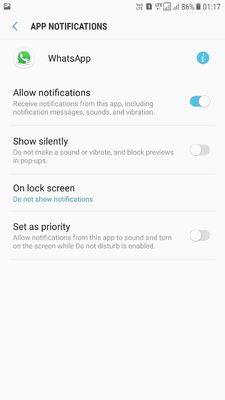
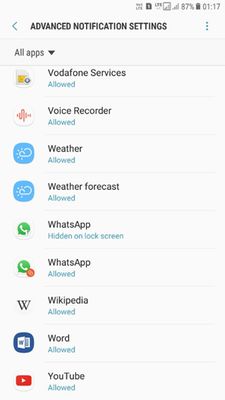
pls let me know the correct process to hide the sensitive notification messages22ddf5b0-f4f1-4bb7-bb11-6a7a29494e91.jpg
53bd9e1c-25a0-4751-962d-89983123f65d.jpg
    • A

      admin_

      Expert Level 5

      9 years ago


      in

       
      Thanks for being with Samsung and for sharing your concern. We would like to inform you that Go to Notification> Advanced> Whatsapp > to hide the message notification you can just disable the "Allow Notifications" option. > To disable sound, vibration and pop up previews use "Show silently” option.

      0 likes