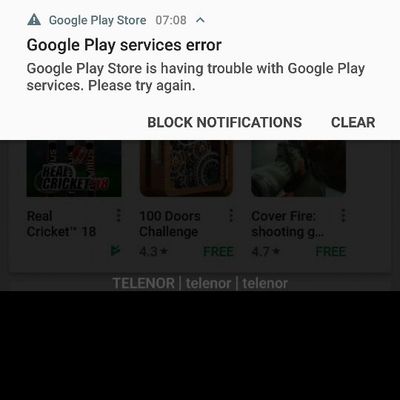
Thanks for being a part of Samsung community. We would like to inform you kindly follow the steps below to resolve your concern:- - Navigate to apps >> Settings >> Apps >> Tap on three dots >> Reset app preferences. - Navigate to apps >> Settings >> Apps >> Tap on three dots >> Show system apps >> Google play service >> Clear data. - Navigate to apps >> Settings >> Apps >> Tap on three dots >> Show system apps >> Google play store>> Clear data.
Be sure to hit ♡ when you find an answer that works for you. For Further assistance, you can get in touch with us via Live Chat option by following- http://livechat.support.samsung.com/Customer_new/IN. You can also connect us via Samsung Members web community by following mentioned url-https://community.samsungmembers.com/en_IN#/

admin_
Expert Level 5
9 years ago
in
- Navigate to apps >> Settings >> Apps >> Tap on three dots >> Reset app preferences.
- Navigate to apps >> Settings >> Apps >> Tap on three dots >> Show system apps >> Google play service >> Clear data.
- Navigate to apps >> Settings >> Apps >> Tap on three dots >> Show system apps >> Google play store>> Clear data.
Be sure to hit ♡ when you find an answer that works for you. For Further assistance, you can get in touch with us via Live Chat option by following- http://livechat.support.samsung.com/Customer_new/IN. You can also connect us via Samsung Members web community by following mentioned url-https://community.samsungmembers.com/en_IN#/
0 likes
Shubham077
Active Level 5
9 years ago
in
but problem isn't solve
0 likes
Shubham077
Active Level 5
9 years ago
in
0 likes
laddu9
Beginner Level 2
9 years ago
in
0 likes