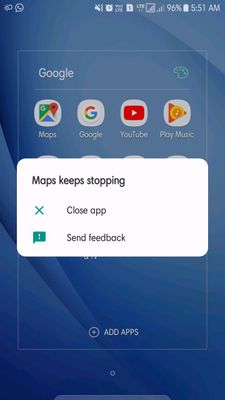
Thanks for Being a part of Samsung community. Would like to tell you Kindly follow the steps below to resolve your concern :- 1) Navigate to apps >> Settings >> Apps >> Tap on three dots >> Reset app preferences. 2) Kindly go to apps >> settings >> apps >> Maps >> Storage >> Clear data and force stop. 3) Kindly update the Google maps. 4) Please run your device in safe mode. 5) Please do reset your device on factory mode after taking the data backup Via Smart switch.
Be sure to hit ♡ when you find an answer that works for you.

sunny4662
Active Level 7
9 years ago
in
It takes only 2 mins to enable so do it friends
link of video :
https://youtu.be/tHYMed9qX2c
hope you will like it
0 likes
RaghavRaghav
Active Level 3
9 years ago
in
0 likes
admin_
Expert Level 5
9 years ago
in
1) Navigate to apps >> Settings >> Apps >> Tap on three dots >> Reset app preferences.
2) Kindly go to apps >> settings >> apps >> Maps >> Storage >> Clear data and force stop.
3) Kindly update the Google maps.
4) Please run your device in safe mode.
5) Please do reset your device on factory mode after taking the data backup Via Smart switch.
Be sure to hit ♡ when you find an answer that works for you.
0 likes
RDBrother
Beginner Level 2
7 years ago
in
0 likes