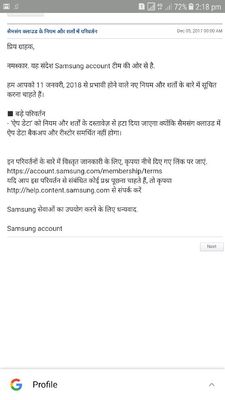
Thank you for being with Samsung and sharing your concern. We would like to inform you that Backup/Restore uses the copy of your content or data currently stored in the cloud, that was backed up automatically/manually from your device, to create a restore point that you can either use to restore your content or set up a new device. Follow the steps below to back up your data to Samsung Cloud. ■ Settings > Cloud and accounts > Samsung Cloud > Backup settings/Restore ■ Settings > Cloud and accounts or Accounts > Backup and reset > Back up my data/Restore Turn on each item you want to back up in the Settings menu and tap "Back up now". If this fails, a notification will be displayed. If "Auto backup" is turned on, updated data for individual items whose buttons are turned on will be backed up automatically every 24 hours, provided that the device is connected via Wi-Fi, is being charged, and its screen has been off for at least 60 minutes. Be sure to hit ♡ when you find an answer that works for you.

admin_
Expert Level 5
12-22-2017 05:17 AM
in
■ Settings > Cloud and accounts > Samsung Cloud > Backup settings/Restore
■ Settings > Cloud and accounts or Accounts > Backup and reset > Back up my data/Restore
Turn on each item you want to back up in the Settings menu and tap "Back up now". If this fails, a notification will be displayed.
If "Auto backup" is turned on, updated data for individual items whose buttons are turned on will be backed up automatically every 24 hours, provided that the device is connected via Wi-Fi, is being charged, and its screen has been off for at least 60 minutes.
Be sure to hit ♡ when you find an answer that works for you.
0 likes
NiruAnu
Beginner Level 3
12-26-2017 06:53 AM
in
0 likes