All community
Sign In/Register
/
Network
(Post creation time:
12-9-2023 02:13 AM
)
769 Views
bablu8222
Active Level 6
last edited
in
2 likes
12 Comments
RiteshTanwarSa
12-9-2023 02:26 AM
0 likes
12-9-2023 02:34 AM
Gaganbeniwal
Active Level 7
12-9-2023 02:54 AM
Load 3 older replies
12-9-2023 03:01 AM
12-9-2023 03:03 AM
12-9-2023 03:07 AM
12-9-2023 02:59 AM
elvishhen6679
Expert Level 2
12-9-2023 04:06 AM
cs_member10
Moderator
12-10-2023 08:15 AM
Dear Samsung Member,
Greetings from Samsung Customer Support!
As per your concern kindly visit this mentioned link to resolve your issue: https://www.samsung.com/in/support/mobile-devices/samsung-galaxy-smartphone-how-to-optimise-network-connectivity/
Warm Regards,Samsung Customer Support
. Galaxy A 07-12-2019 07:29 AM
. Galaxy A 08-20-2019 03:33 AM
. Galaxy S 09-25-2023 05:50 PM
. Tech Talk 06-11-2021 10:00 PM
. Galaxy F 08-30-2026 10:47 AM

RiteshTanwarSa
Active Level 6
12-9-2023 02:26 AM
in
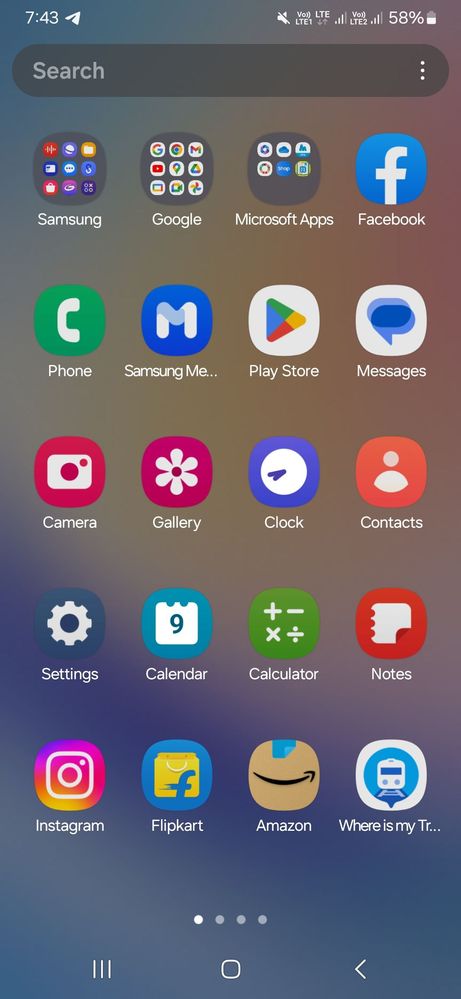
1.Go to settings
2.Find General Management
3.Here go to reset
4. Now, reset Network settings of the Sim card that you want.
Hope this helps
0 likes
bablu8222
Active Level 6
12-9-2023 02:34 AM
in
0 likes
Gaganbeniwal
Active Level 7
12-9-2023 02:54 AM
in
0 likes
Gaganbeniwal
Active Level 7
12-9-2023 03:01 AM
in
0 likes
bablu8222
Active Level 6
12-9-2023 03:03 AM
in
Main android 4.0 se samsung use kar raha hoon pata hai samsung ka all mode pat hai bro
And other setting karliya tha kuch nehi ho raha tha
Abhi achanak aa gaya
0 likes
Gaganbeniwal
Active Level 7
12-9-2023 03:07 AM
in
0 likes
bablu8222
Active Level 6
12-9-2023 02:59 AM
in
0 likes
elvishhen6679
Expert Level 2
12-9-2023 04:06 AM
in
0 likes
cs_member10
Moderator
12-10-2023 08:15 AM
in
Dear Samsung Member,
Greetings from Samsung Customer Support!
As per your concern kindly visit this mentioned link to resolve your issue: https://www.samsung.com/in/support/mobile-devices/samsung-galaxy-smartphone-how-to-optimise-network-connectivity/
Warm Regards,
Samsung Customer Support
0 likes