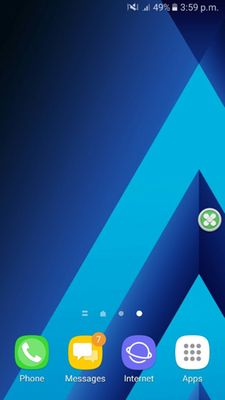
after i updated my galaxy a5 2017, I had a ram cleaner stuck at one place and I am not able to remove it. I also get ads on my phone and opens play store without permission.i tried the google ads method but it didn't help please help me fix this.
Thank you for your query. The relevant department may serve you better/speedily, if you can provide logs/video by registering this feedback in Error Section (Samsung Members App -> Feedback -> Questions/Errors -> Create -> Error reports).

admin_
Expert Level 5
06-24-2017 11:20 AM
in
0 likes
thesubhamBajaj
Active Level 3
06-24-2017 11:52 AM
in
i think that you should reset your device
0 likes
CYBERDRAGON
Active Level 2
06-24-2017 06:40 PM
in