title:

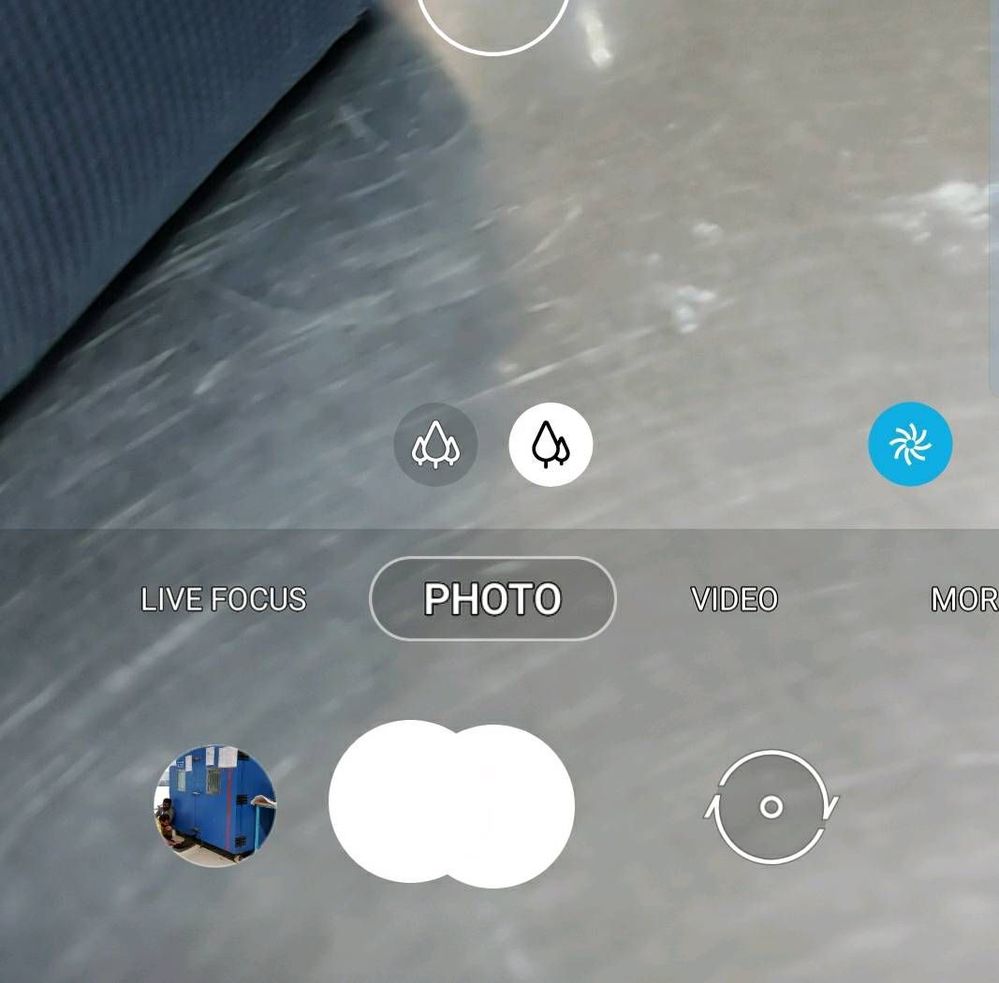
camera button showing twice

(Post creation time:  

03-9-2020 08:07 AM

)

10628 Views

M

mutthunaveen

Active Level 2

last edited


03-9-2020 08:09 AM


in

 
Hello
My camera button is showing overlapped buttons. As shown in below image

image


Thanks
Naveen
  • N

    NaveenChan

    Active Level 1

    03-9-2020 08:13 AM


    in

     
    it's an extra shutter button for the selfie mode. press and drag (the other button) it to main shutter button . it will resolve
    M

    mutthunaveen

    Active Level 2

    03-9-2020 08:30 AM


    in

     
    thanks dear...

    0 likes

  • S

    Sidhabhi

    ★★

    03-9-2020 08:21 AM


    in

     
    Bro, that's floating shutter button..just drag that extra shutter button and merge it back to the main shutter button(job done)..its one of the feature for your convenience..you can drag out extra shutter button whenever you wanted to so by simply pressing main shutter button..try yourself..

    Also, you can disable it from camera settings
  • M

    mutthunaveen

    Active Level 2

    03-9-2020 08:30 AM


    in

     
    thanks for your kind explanation bro
  • AU

    Anonymous User

    Beginner Level 1

    03-9-2020 08:41 AM


    in

     
    switch off camera floating mode
  • S

    Sarthak07

    Active Level 10

    03-9-2020 09:26 AM


    in

     
    Follow the steps as suggested by another BA ( marked with star )

    Tap Settings icon > Shooting Methods > Floating Shutter Button
    Disable it.
  • DP

    døpedædə

    Active Level 9

    03-9-2020 09:31 AM


    in

     
    one is floating button buddy

Related Content