don't worry about this you are not alone because I Also have same battery problem.
I have tried many things but nothing works.
If you want to increase the hours then don't use your phone for whole one day then hours may increase but this is useless because we are never going to keep our phones aside, we want to use continuously. when you use continuously then it will definitely going to decrease.
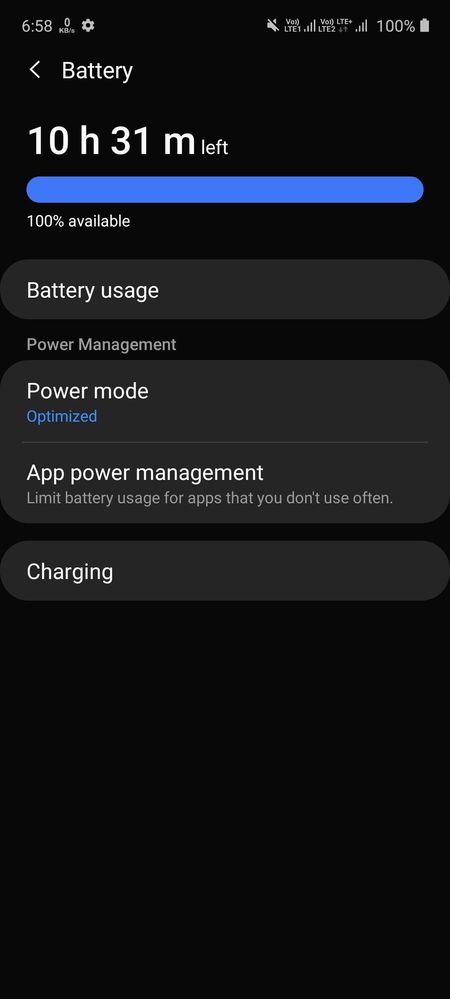
see one time I have not used my phone for 5 days and then I fully charge it and it showed me 2 days 2 hours you think this is good and work but no.
when I started using my phone from 100% and drop to 15% it only work till 10 hours continuously.
So you can understand that this all data in device care is wrong and not accurate and precise.
Please perform the below mentioned steps to resolve the issue:
1. Perform Battery Optimization:- Battery optimization helps you to boost the battery performance of your device. To check battery optimization:- Settings > Select Device Maintenance/Device Care > Optimize > Optimize all options like Battery, Storage and Memory
2. Kindly turn off the smart features of the device and other connectivity features (like advance feature and Bluetooth, Wi-Fi, etc.) when not in use, which will eventually help you to reduce battery power consumption). Follow the below steps to turn off: Swipe down on the home screen to open notification panel> Tap on Bluetooth, hotspot, etc. to turn off
For further assistance, register your concern in Samsung Members Application (Open Samsung Members Application > Get help > send feedback > error report/ask questions).

Ashleyy
Active Level 6
7 years ago
in
0 likes
bSumit
Active Level 5
7 years ago
in
0 likes
LDpatel
Active Level 5
7 years ago
in
I have tried many things but nothing works.
If you want to increase the hours then don't use your phone for whole one day then hours may increase but this is useless because we are never going to keep our phones aside, we want to use continuously. when you use continuously then it will definitely going to decrease.
see one time I have not used my phone for 5 days and then I fully charge it and it showed me 2 days 2 hours you think this is good and work but no.
when I started using my phone from 100% and drop to 15% it only work till 10 hours continuously.
So you can understand that this all data in device care is wrong and not accurate and precise.
AKgj
Active Level 4
7 years ago
in
Bigtoraj69
Active Level 2
7 years ago
in
0 likes
LDpatel
Active Level 5
7 years ago
in
0 likes
LDpatel
Active Level 5
7 years ago
in
0 likes
Aashish
Expert Level 5
7 years ago
in
0 likes
Jiyodilse
Active Level 10
7 years ago
in
For heating related issue find this one...
Hidden sync off ...it will reduce battery consumption...
0 likes
Samsung_Support3
Moderator
7 years ago
in
Dear Samsung Member,
Greetings from Samsung Customer Support!
Please perform the below mentioned steps to resolve the issue:
1. Perform Battery Optimization:- Battery optimization helps you to boost the battery performance of your device.
To check battery optimization:- Settings > Select Device Maintenance/Device Care > Optimize > Optimize all options like Battery, Storage and Memory
2. Kindly turn off the smart features of the device and other connectivity features (like advance feature and Bluetooth, Wi-Fi, etc.) when not in use, which will eventually help you to reduce battery power consumption). Follow the below steps to turn off: Swipe down on the home screen to open notification panel> Tap on Bluetooth, hotspot, etc. to turn off
For further assistance, register your concern in Samsung Members Application (Open Samsung Members Application > Get help > send feedback > error report/ask questions).
Thank you for writing to Samsung.
Warm Regards,
Samsung Customer Support
0 likes