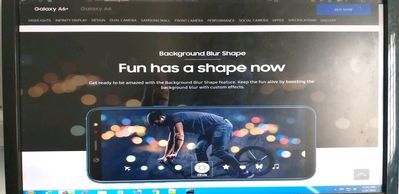
where is the option back ground blur shape available in camera as mentioned in samsung.com see the attachement. they mentioned it but this feature is not found in camera
Thank you for reaching out to the Samsung community! We would like to inform you that the effect list will appear only when the photo has blur shape in the background. Select a photo taken with the Live focus feature and to change the background blur shape, drag the effect list to the left or right and select an effect you want.
Be sure to hit ♡ when you find an answer that works for you. For Further assistance, you can get in touch with us via Live Chat option by following- http://livechat.support.samsung.com/Customer_new/IN. You can also connect us via Samsung Members web community by following mentioned url-https://community.samsungmembers.com/en_IN#/

suryavenkat
Active Level 4
8 years ago
in
0 likes
admin_
Expert Level 5
8 years ago
in
Be sure to hit ♡ when you find an answer that works for you. For Further assistance, you can get in touch with us via Live Chat option by following- http://livechat.support.samsung.com/Customer_new/IN. You can also connect us via Samsung Members web community by following mentioned url-https://community.samsungmembers.com/en_IN#/
0 likes