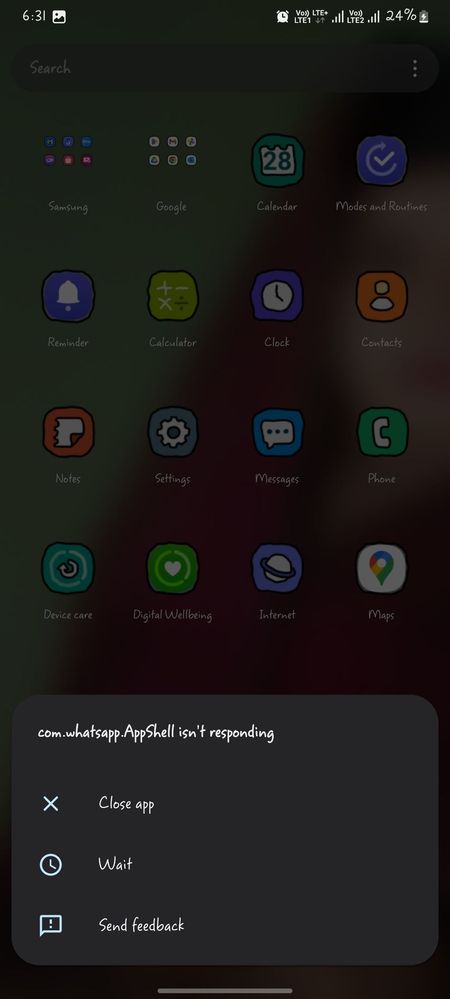
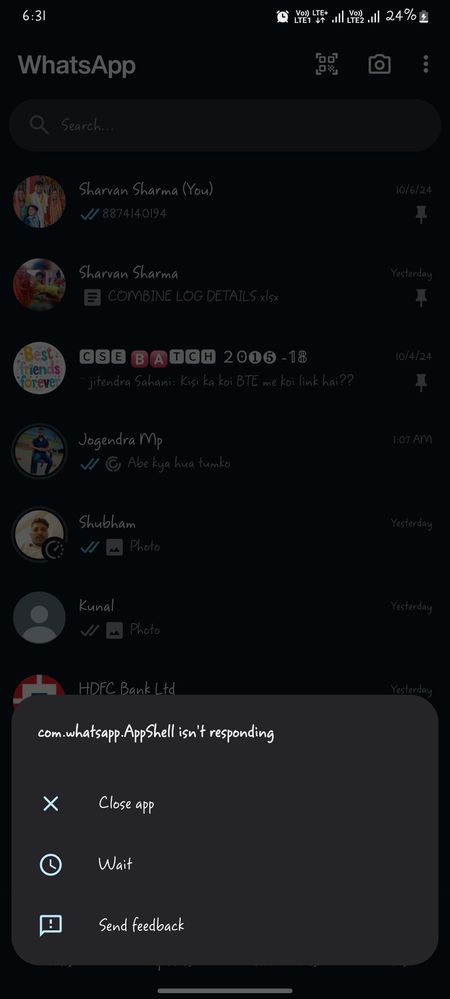
My mobile shown every 10 sec after showing error whatsapp not responding and whatsapp she'll not responding my whatsapp is already updated plz support ASAP samsung cumunity
Please clear catche of this app uninstall and again reinstall this app then try to it's again. If you like please accept as a solution it's help to others users also, click on 3dots in my reply section and click on accept solution. Thanks.
As per your concern, we would request you to kindly perform the following steps to resolve your issue.
● Clear app cache through Device care: Settings > Device care > Storage > CLEAN NOW.
● The clear cache memory of a particular application: Settings > Apps > Now pick the app you like to clear off the cache memory > Storage > Clear Cache.
● Reset the device Settings: Settings > General Management > Reset settings>Reset all settings to their default.
● Enable the app permissions: Go to App Info > Permissions > Notifications > Notification Categories > Find the required notification and turn it on.
● Keep your app updated: Tap on Google Play Store app or Galaxy Store> Manage apps & device> Apps available to update> If you want to update apps individually, tap See details and then tap the Update button next to the app you would like to update. Note: kindly contact the particular application helpline once, to make sure there is no issue from their end.
In case the issue still occurs, kindly report the problems with a log file. To share a log file, click on the Samsung Members Application (Open Samsung Members Application > Support> Tap on send feedback> Choose Composer> Select error report> select the appriopriate issue category> Type your query and send.).

samnull
Active Level 6
10-12-2024 01:11 AM
in
goodthings
Expert Level 5
10-12-2024 01:23 AM
in
goodthings
Expert Level 5
10-12-2024 01:23 AM
in
0 likes
cs_member10
Moderator
10-12-2024 10:54 AM
in
Dear Samsung Member,
Greetings from Samsung Customer Support!
As per your concern, we would request you to kindly perform the following steps to resolve your issue.
● Clear app cache through Device care:
Settings > Device care > Storage > CLEAN NOW.
● The clear cache memory of a particular application:
Settings > Apps > Now pick the app you like to clear off the cache memory > Storage > Clear Cache.
● Reset the device Settings: Settings > General Management > Reset settings>Reset all settings to their default.
● Enable the app permissions: Go to App Info > Permissions > Notifications > Notification Categories > Find the required notification and turn it on.
● Keep your app updated: Tap on Google Play Store app or Galaxy Store> Manage apps & device> Apps available to update> If you want to update apps individually, tap See details and then tap the Update button next to the app you would like to update.
Note: kindly contact the particular application helpline once, to make sure there is no issue from their end.
In case the issue still occurs, kindly report the problems with a log file. To share a log file, click on the Samsung Members Application (Open Samsung Members Application > Support> Tap on send feedback> Choose Composer> Select error report> select the appriopriate issue category> Type your query and send.).
Warm Regards,
Samsung Customer Support
0 likes