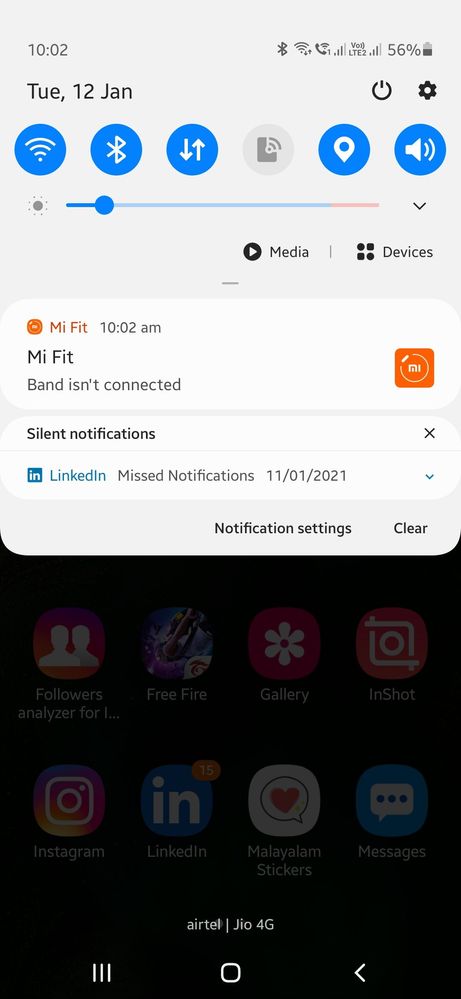
Any Body Facing A Problem After Update In A50 2.5 OneUi That The Location And Mobile Data Is Automatically Turning On And Turning Off After Updating From OneUi 2.0 To 2.5 In A50.Please Help Me To Fix This 😔
Be assured, to resolve the issue please follow below given steps:-
1. Check device in safe mode:- Using Safe Mode on a Samsung phone allows you to force the device to run the essential operating system, and disable most 3rd party applications. To enter in safe mode:- Press and hold the Power key, when Power off icon appears > Press and hold the power off icon. To exit safe mode restart the device.
2. Reset the device:- Before resetting, kindly create data backup of your device via SMART switch mobile application or http://www.samsung.com/in/support/smartswitch pc suite. How to reset:- Settings > General management > Reset.
If the issue still persist, kindly register your concern in Samsung Members app along with short video, screenshot and error log file(Samsung Members app > Get help > Feedback > Error report/ask question). Note: Please send device log files within 15 minutes of issue occurrence along with the exact issue details.

SrajTech
Expert Level 5
01-12-2021 05:09 AM
in
go to permissions manager and check which apps can change system settings
turn them off accordingly
ndjf
Active Level 8
01-12-2021 05:16 AM
in
God_Of_Thunders
Expert Level 2
01-12-2021 06:43 AM
in
cs-member13
Expert Level 4
01-14-2021 05:35 PM
in
Dear Samsung Member,
Greetings from Samsung Customer Support!
Be assured, to resolve the issue please follow below given steps:-
1. Check device in safe mode:- Using Safe Mode on a Samsung phone allows you to force the device to run the essential operating system, and disable most 3rd party applications.
To enter in safe mode:- Press and hold the Power key, when Power off icon appears > Press and hold the power off icon.
To exit safe mode restart the device.
2. Reset the device:- Before resetting, kindly create data backup of your device via SMART switch mobile application or http://www.samsung.com/in/support/smartswitch pc suite.
How to reset:- Settings > General management > Reset.
If the issue still persist, kindly register your concern in Samsung Members app along with short video, screenshot and error log file(Samsung Members app > Get help > Feedback > Error report/ask question).
Note: Please send device log files within 15 minutes of issue occurrence along with the exact issue details.
Thank you for writing to Samsung.
Warm Regards,
Samsung Customer Support