
Is anyone facing this issue. Please reply.
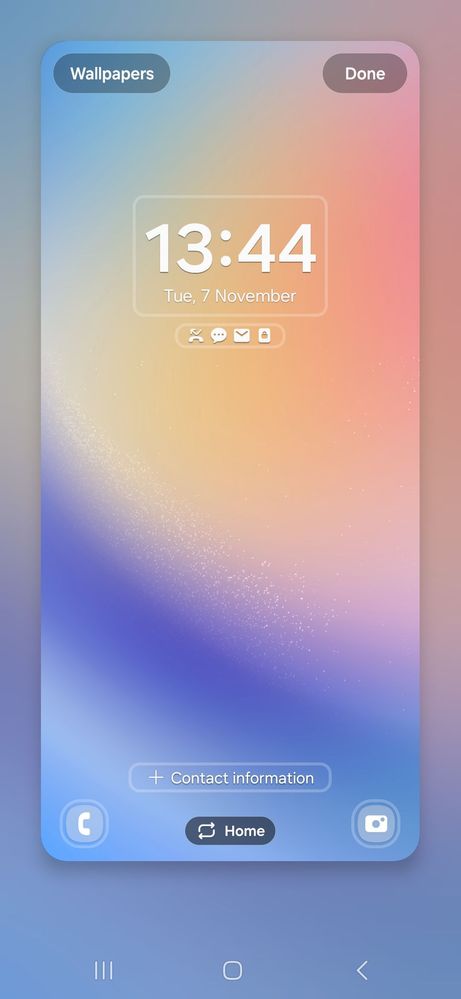
When the fingerprint lock is turned on and the brightness is low there are some weird patches on the lock screen. When I turn off the fingerprint sensor there are no weird patches. Please try and tell me.
Please try using this default wallpaper.
Device - A34 5g
SanketSakpal
Active Level 6
3 years ago
in
cs_member10
Moderator
3 years ago
in
Dear Samsung Member,
Greetings from Samsung Customer Support!
As per your concern, we would request you to kindly perform the following steps to resolve your issue.
Clear app cache through Device care:
Settings > Device care > Storage > CLEAN NOW.
Note: To delete files or uninstall apps that you do not use anymore, select a category under USER DATA. Then, tick items to select and tap DELETE or UNINSTALL.
The clear cache memory of a particular application:
Settings > Apps > Now pick the app that you like to clear off the cache memory > Storage > Clear Cache.
Reset the device Settings: Settings > General Management > Reset settings>Reset all settings to their default.
Update the software if available: https://www.samsung.com/in/support/mobile-devices/samsung-galaxy-smartphone-how-to-update-software/
You can check the device in safe mode and for the safe mode you can tap on the given link. https://www.samsung.com/in/support/mobile-devices/safe-mode-on-samsung-phones/
You can reset your device by following the steps from the below link.
https://www.samsung.com/in/support/mobile-devices/samsung-galaxy-mobile-how-to-perform-a-factory-reset/
In case the issue still persists, Kindly share the report of the problems with a log file. To share a log file, click on the Samsung Members Application (Open Samsung Members Application > Support> Tap on error report > Type your query > Send).
Warm Regards,
Samsung Customer Support
0 likes
arec
Active Level 6
3 years ago
in
0 likes
arec
Active Level 6
3 years ago
in
0 likes
arec
Active Level 6
3 years ago
in
0 likes
arec
Active Level 6
3 years ago
in
0 likes
AlexBaskar
Active Level 4
3 years ago
in
Now battery drain issue solved??
0 likes
SanketSakpal
Active Level 6
3 years ago
in
0 likes