
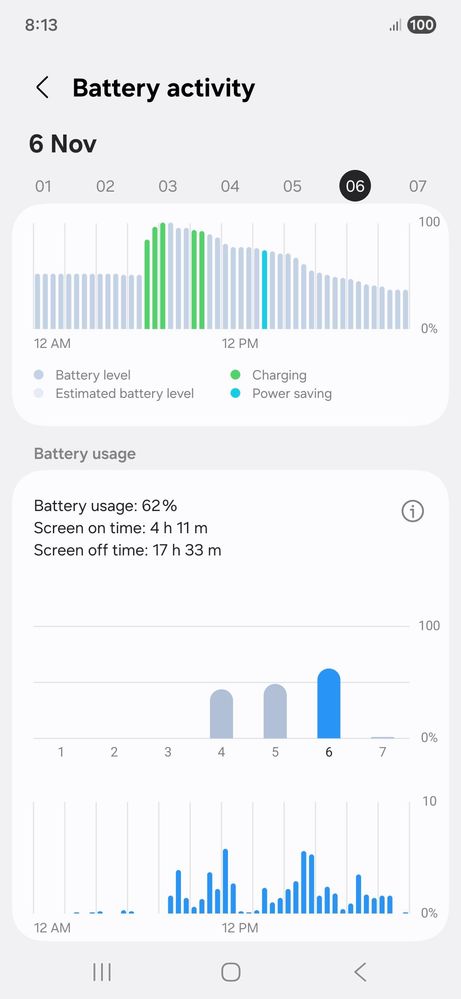
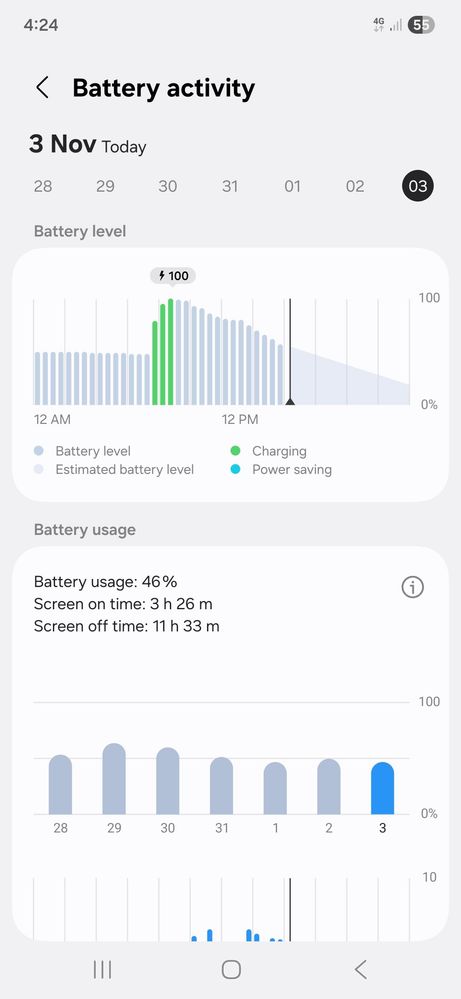
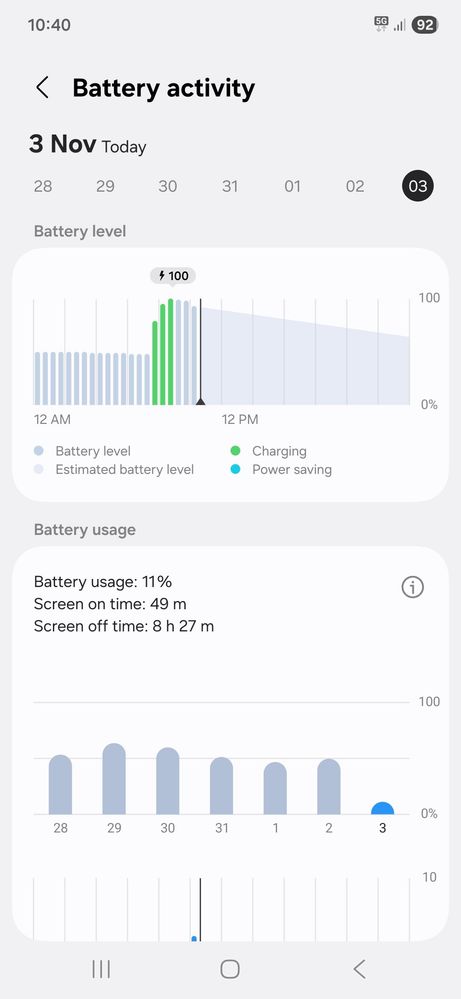
After ONE UI 8 update my Galaxy A35 battery drain fast. Before my mobile well working.
1. Reset all setting
2. Software update
3. 2 time visit near 2 samsung service center
4. Remote access samsung customer 2 times.
But not solve this problem.
Mr_Desai
Expert Level 4
11-7-2025 07:27 AM
in
https://r2.community.samsung.com/t5/Tech-Talk/Heating-amp-fast-battery-drain-issue-in-OneUI-8-️/td-p/20672929?src=ShareByUserCM
https://r2.community.samsung.com/t5/Galaxy-Gallery/Battery-Drainage-is-Littery/td-p/20681553?src=ShareByUserCM
0 likes
GalaxyPhones
Active Level 5
11-7-2025 07:46 AM
in
If you like, please accept this as a solution from the 3 dot menu on this comment.
0 likes
ASSelvan
Active Level 4
11-7-2025 07:50 AM
in
VedantKalore
★
11-7-2025 08:39 AM
in
0 likes
cs_member10
Moderator
11-12-2025 11:10 AM
in
Dear Samsung Member,
Greetings from Samsung Customer Support!
As per your concern, you have already done the possible troubleshooting steps and the issue remains unresolved, we kindly request you to share the log file. Also, share the video clips and images for better understanding. This will help us to investigate further and resolve the issues.
To share the log file: Open Samsung Members Application > Support> Tap on send feedback> Choose Composer> Select error report> Select the appropriate issue category> Type your query and send.
Note: To ensure relevant log information is included in the error report, submit the report within 3 minutes of encountering the bug or error, and do not terminate (swipe away) the Samsung Members application until you are notified that the report has been sent. This can take up to 5 minutes.
Warm Regards,
Samsung Customer Support
0 likes
ASSelvan
Active Level 4
11-12-2025 11:29 AM
in
0 likes
Ragulk-007
Expert Level 5
12-3-2025 04:09 PM
in
2. Reduce screen brightness.
3. Adjust display refresh rate to standard mode.
4. Turn off connectivity.
Disable Wi-Fi, GPS, and Bluetooth when not in use.
5. Turn off AOD.
If you like this solution.
Please
Accept as a solution .
0 likes
Ragulk-007
Expert Level 5
12-3-2025 04:09 PM
in
or
Put in deep sleeping which apps not in regular usage.
2. Uninstall extra apps
3. Battery optimization.
4. Closed all background applications
If you like this solution.
Please
Accept as a solution .
0 likes