All community
Sign In/Register
/
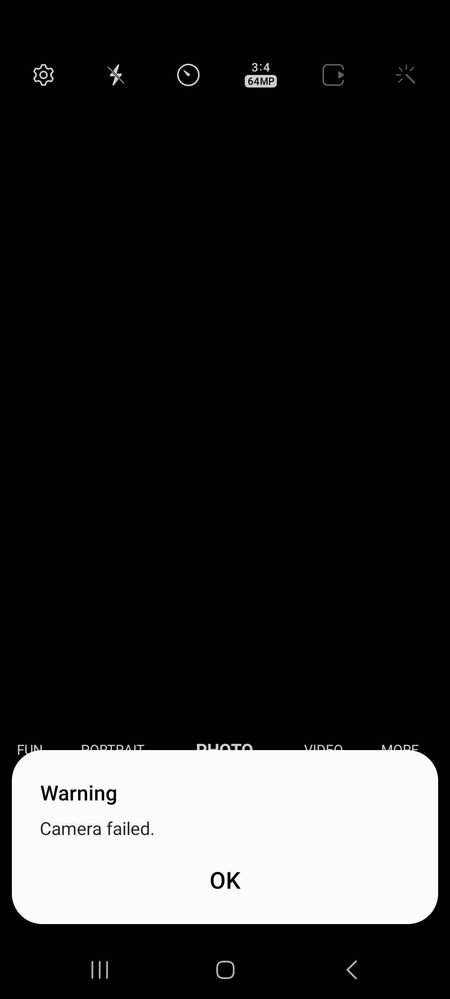
A52s 5G camera failed issue
(Post creation time:
04-19-2023 12:02 PM
)
1449 Views
Paul07
Active Level 1
last edited
in
8 likes
11 Comments
UserAdik
Expert Level 5
04-19-2023 12:07 PM
0 likes
04-19-2023 12:12 PM
1 like
vivek1989
04-19-2023 12:38 PM
2 likes
Ashru
Active Level 8
04-19-2023 12:11 PM
itz_black_soul_78
Active Level 4
04-19-2023 12:17 PM
JEEVA777
Active Level 7
04-19-2023 12:46 PM
04-19-2023 01:17 PM
mayankmnn
Active Level 6
04-19-2023 05:14 PM
cs-member11
Moderator
04-21-2023 01:07 PM
Dear Samsung Member,Greetings from Samsung Customer Support!We acknowledge your query and apologize for the same. Please perform the below mentioned steps to resolve the issue:* Clear camera application data.Settings >Apps >Camera >Storage >Clear Data.
* Check after rebooting your device. For further assistance, register your concern in Samsung Members Application (Open Samsung Members Application>Support>Type your query>Ask a question/Tap an error report>Send)Thank you for writing to Samsung.Warm Regards,Samsung Customer Support
Bhaiji56
Beginner Level 2
07-11-2024 12:06 PM
Abhishekwy
08-29-2024 04:00 PM
Camera failed issue M30s
. Galaxy M 11-18-2019 09:27 AM
Camera failed issue
. Galaxy S 10-29-2025 03:22 AM
S24 ultra front camera failed issue
. Galaxy S 11-28-2025 03:59 AM
CAMERA FAILED ISSUES
. Galaxy M 09-16-2024 12:55 PM
Camera Failed
. Galaxy S 02-6-2023 01:22 AM

UserAdik
Expert Level 5
04-19-2023 12:07 PM
in
0 likes
Paul07
Active Level 1
04-19-2023 12:12 PM
in
vivek1989
Expert Level 5
04-19-2023 12:38 PM
in
Ashru
Active Level 8
04-19-2023 12:11 PM
in
itz_black_soul_78
Active Level 4
04-19-2023 12:17 PM
in
JEEVA777
Active Level 7
04-19-2023 12:46 PM
in
JEEVA777
Active Level 7
04-19-2023 01:17 PM
in
mayankmnn
Active Level 6
04-19-2023 05:14 PM
in
cs-member11
Moderator
04-21-2023 01:07 PM
in
Dear Samsung Member,
Greetings from Samsung Customer Support!
We acknowledge your query and apologize for the same. Please perform the below mentioned steps to resolve the issue:
* Clear camera application data.
Settings >Apps >Camera >Storage >Clear Data.
* Check after rebooting your device.
For further assistance, register your concern in Samsung Members Application (Open Samsung Members Application>Support>Type your query>Ask a question/Tap an error report>Send)
Thank you for writing to Samsung.
Warm Regards,
Samsung Customer Support
Bhaiji56
Beginner Level 2
07-11-2024 12:06 PM
in
0 likes
Abhishekwy
Beginner Level 2
08-29-2024 04:00 PM
in
0 likes