
My screen is not in true black color some times. I guess its happens when battery comes below a certain limit or something related with adaptive brightnesa. Pleaee let me know anyone else facing thia issue.
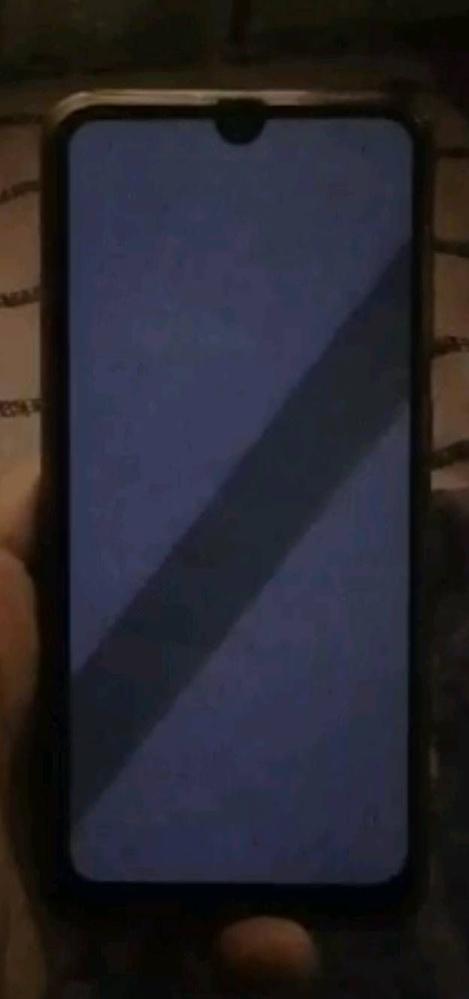
The issue is a grey or visible black appears over the sceen eventhough the screen is full black. Like in night mode. And some lines are flickering over screen. This flickering is visible only when we looks over a camers.
I just attached an image when screen is black. Like during diplay test (*#0*# -> black) it should display pure black but it showing grey color insted of that.
Anyone please help me with this. Let me know any other users facing/faced same issue before.
Shivu27
Active Level 6
7 years ago
in
0 likes
AkhilJoyMaliackal
Active Level 4
7 years ago
in
0 likes
Shivu27
Active Level 6
7 years ago
in
0 likes
AkhilJoyMaliackal
Active Level 4
7 years ago
in
0 likes
cs_member9
Active Level 7
7 years ago
in
Dear Samsung Member,
Greetings from Samsung Customer Support!
Kindly follow the below mentioned step to improve the performance of the device:
Check device in safe mode:
Using Safe Mode on a Samsung phone or tablet allows you to force the device to run the essential operating system, and disable most 3rd party applications.
Enter safe mode: Press and hold the Power key, when Power off icon appears.>Press and hold the power off icon.
Exist safe mode: Press volume down and power key simultaneously for 5 seconds to restart the device.
Note: If your device functions correctly in Safe Mode, it is most likely that the issue lies with a 3rd party application that can be uninstalled to resolve the problem.
For further assistance, register your concern in Samsung Members Application (Samsung Members App > Feedback >Error report > Attach log file for any issue)
Thank you for writing to Samsung.
Warm Regards,
Samsung Customer Support
0 likes
ANIRUDDHAd
Active Level 1
4 years ago
in
0 likes