
Original topic:

One ui 9 bug

(Post creation time:  

2026/10/26 06:21 AM

)

267 Views

D

desai67

Active Level 1

last edited


2026/10/26 06:21 AM


in

 
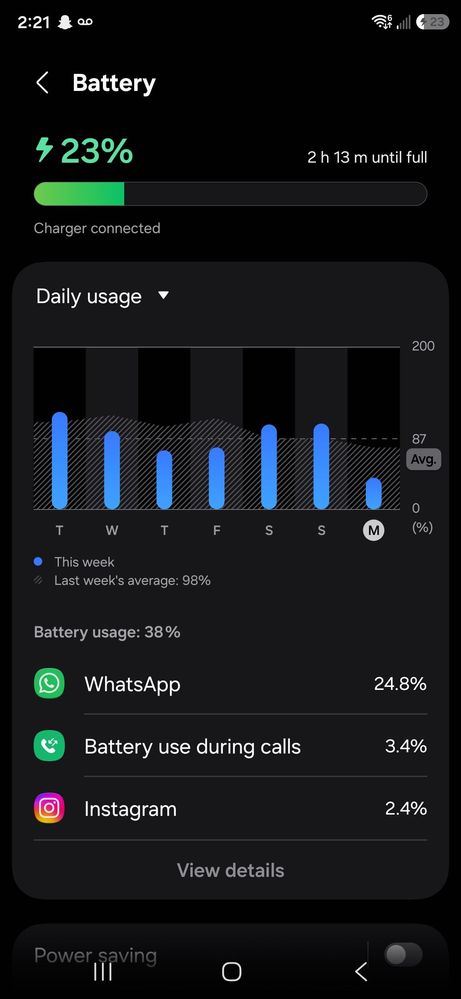
Hi everyone, I got one ui 9 update on my s24 ultra few days ago and ever since then, I am facing charging issue, like literally I bought 45w adapter with 5 a cable for fast charging and it was working well until I updated my phone to latest ui version, now it is only charging at normal speed !!!!!! And even sometimes I get random error message saying "USB port is wet " so is it only me facing this issue or someone also facing the same issue ?
image


    • R

      RobertZ

      Expert Level 1

      2026/10/26 06:59 AM


      in

       
      Maybe try the "fixes" shown in this video:
      https://youtu.be/S6-cwABaNkw?si=ywYa_zfav1DFCkSa

      0 likes

    • H

      Haisley

      Moderator

      2026/10/26 07:01 PM


      in


      Hi desai67,

      We are sorry to hear that you are facing charging speed issues and receiving random "USB port is wet" error messages on your Galaxy S24 Ultra following the One UI 9 update, and we sincerely apologize for the inconvenience this has caused.

      Please try the following troubleshooting steps to help resolve the issue:

      • Clear USB Cache Data: A software glitch can sometimes cause the system to falsely report moisture. Go to Settings > Apps, tap the Filter and sort icon next to "Your apps", toggle on Show system apps, and tap OK. Search for USBSettings, tap Storage, and select Clear data and Clear cache. Restart your phone and try charging again.
      • Verify Fast Charging Settings: System updates can occasionally reset charging profiles to default values. Go to Settings > Battery, scroll down to find the charging options, and ensure that Fast charging or Super fast charging is explicitly toggled On.
      • Perform a Forced Restart: Disconnect the charger, then press and hold the Volume Down and Power buttons simultaneously for more than 7 seconds until the device vibrates and the Samsung logo appears. This refreshes the hardware controller lines.

      Additionally, follow the steps mentioned on the below link to ensure your overall battery parameters remain optimized: https://www.samsung.com/ca/support/galaxy-battery/

      0 likes

    • S

      StwBrryIceCream

      Active Level 5

      2026/10/27 04:46 AM


      in

       
      Oh that menu looks cool

      0 likes